

1Y0-301 Online Practice Questions and Answers
Questions 4
Scenario: After using evaluation licensing to explore XenDesktop, a Citrix Engineer installs valid Enterprise licenses on the Citrix License Server. The engineer confirms that the licenses show correctly in the license console. A few weeks later, users in the environment report that they are receiving an error message when logging into Desktop OS machines that states the evaluation license is about to expire.
What should the engineer do to correct this issue?
A. Select the correct product edition in Citrix Studio.
B. Delete the evaluation license and restart the License service.
C. Reallocate the production license with the FQDN of the License Server.
D. Reinstall the production licenses on the License Server and restart the License service.
Questions 5
Scenario: A Citrix Engineer needs to deploy Citrix Receiver using a custom Client Name value. The engineer uses the install command CitrixReceiver /CLIENT_NAME=Terminal. A user later renames the computer and the custom client name is lost.
Which additional install parameter could the engineer have used to prevent the custom client name from being lost?
A. SELFSERVICEMODE=FALSE
B. ALLOW_CLIENTHOSTEDAPPSURL
C. CLIENT_NAME=%COMPUTERNAME%
D. ENABLE_DYNAMIC_CLIENT_NAME=NO
Questions 6
How should a Citrix Engineer configure Citrix Director to support user search in a multi- forest Active Directory environment?
A. Create a separate monitoring database.
B. Modify the application settings of the Citrix Director website in the IIS console.
C. Install at least one Delivery Controller in each forest and use DNS round-robin.
D. Install at least one Citrix Director server in each forest and load balance them with NetScaler.
Questions 7
Where should a Citrix Engineer set up a restart schedule for a pool of Server OS machines?
A. Policy within Citrix Studio
B. Delivery Group properties
C. Virtual machine properties
D. Machine catalog properties
Questions 8
Scenario: A Citrix Engineer is configuring email-based discovery for the mycompany.com domain. After creating a DNS service record the engineer would like to test that it has been implemented correctly.
Which command should a Citrix Engineer execute to validate a DNS service record after it has been created?
A. nslookup -type=a _CitrixReceiver._udp.mycompany.com
B. nslookup -type=srv _CitrixReceiver._tcp.mycompany.com
C. nslookup -type=mx _CitrixReceiver._udp.mycompany.com
D. nslookup -type=cname _CitrixReceiver._tcp.mycompany.com
Questions 9
Which policy option allows for advanced printer options for large industrial printers while keeping drivers to a minimum and accounting for multiple printer models in use?
A. Use only printer model specific drivers.
B. Use automatic installation of in-box printer drivers.
C. Use universal printing only if requested driver is unavailable.
D. Change the universal driver preference to PCL5c, EMF, XPS.
Questions 10
Scenario: A Citrix Engineer is in the process of deploying load balancing for StoreFront servers using NetScaler. The DNS names of the servers are sf1.mydomain.com and sf2.mydomain.com. The StoreFront URL will be https://citrix.mydomain.com.
Which two steps should the engineer take when configuring StoreFront load balancing using NetScaler? (Choose two.)
A. Create a DNS A record for citrix.mydomain.com for the load balancing VIP.
B. Configure a NetScaler VIP for SSL and bind a certificate for citrix.mydomain.com to the VIP.
C. Create a DNS CNAME record for citrix.mydomain.com resolvable to sf1.mydomain.com and sf2.mydomain.com.
D. Configure a NetScaler VIP for SSL, enable the SNI feature and bind certificates for sf1.mydomain.com and sf2.mydomain.com to the VIP.
Questions 11
CORRECT TEXT
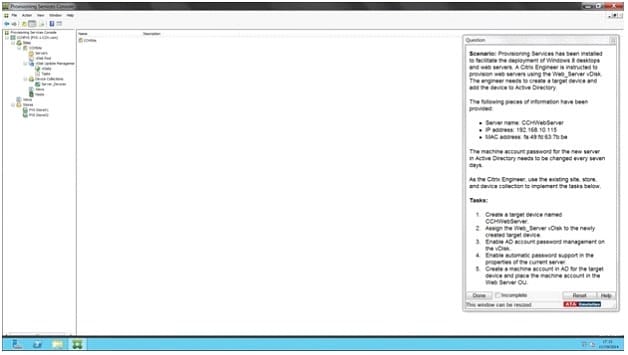
Scenario: Provisioning Services has been installed to facilitate the deployment of Windows 8 desktops and web servers. A Citrix Engineer is instructed to provision web servers using the Web_Server vDisk. The engineer needs to create a target device and add the device to Active Directory.
The following pieces of information have been provided:
Server name: CCHWebServer IP address: 192.168.10.115 MAC address: fa:49:fd:63:7b:be
The machine account password for the new server in Active Directory needs to be changed every seven days. As the Citrix Engineer, use the existing site, store, and device collection to implement the tasks below.
Tasks:
1.
Create a target device named CCHWebServer.
2.
Assign the Web_Server vDisk to the newly created target device.
3.
Enable AD account password management on the vDisk.
4.
Enable automatic password support in the properties of the current server.
5.
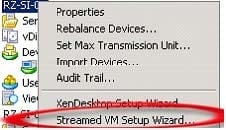
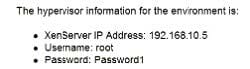
Create a machine account in AD for the target device and place the machine account in the Web Server OU.
A.
Questions 12
CORRECT TEXT
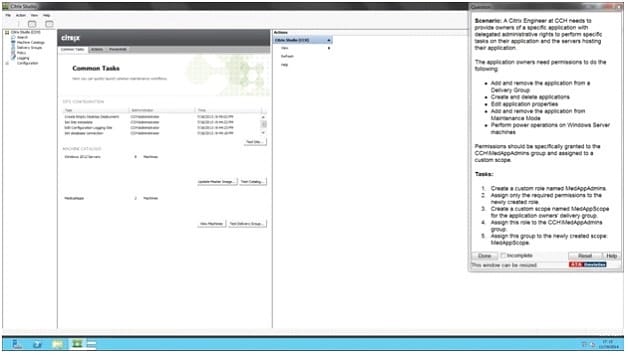
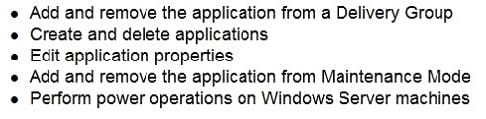
Scenario: A Citrix Engineer at CCH needs to provide owners of a specific application with delegated administrative rights to perform specific tasks on their application and the servers hosting their application. The application owners need permissions to do the following: Add and remove the application from a Delivery Group Create and delete applications Edit application properties Add and remove the application from Maintenance Mode Perform power operations on Windows Server machines
Permissions should be specifically granted to the CCH\MedAppAdmins group and assigned to a custom scope.
Tasks:
1.
Create a custom role named MedAppAdmins.
2.
Assign only the required permissions to the newly created role.
3.
Create a custom scope named MedAppScope for the application owners' delivery group.
4.
Assign this role to the CCH\MedAppAdmins group.
5.
Assign this group to the newly created scope: MedAppScope.
A.
Questions 13
CORRECT TEXT
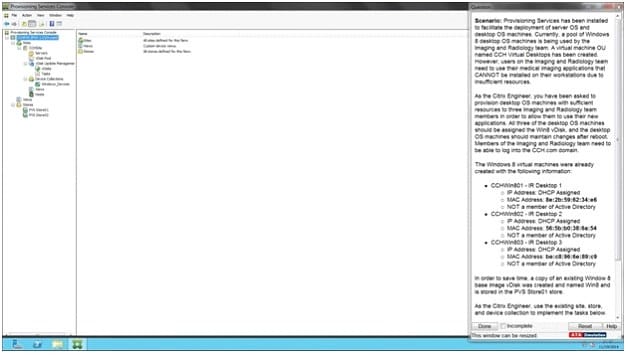
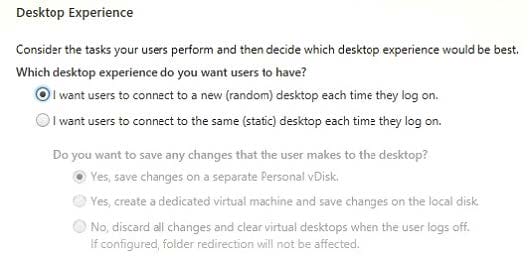
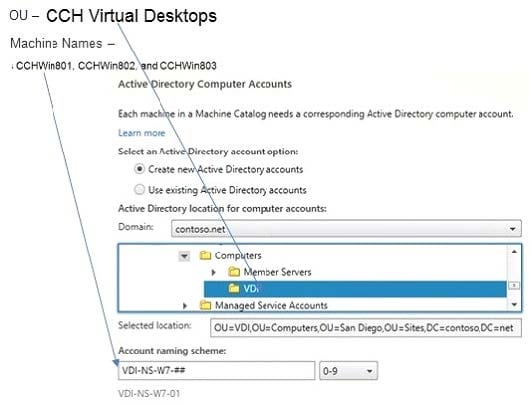
Scenario: Provisioning Services has been installed to facilitate the deployment of server OS and desktop OS machines. Currently, a pool of Windows 8 desktop OS machines is being used by the Imaging and Radiology team. A virtual machine OU named CCH Virtual Desktops has been created. However, users on the Imaging and Radiology team need to use their medical imaging applications that CANNOT be installed on their workstations due to insufficient resources.
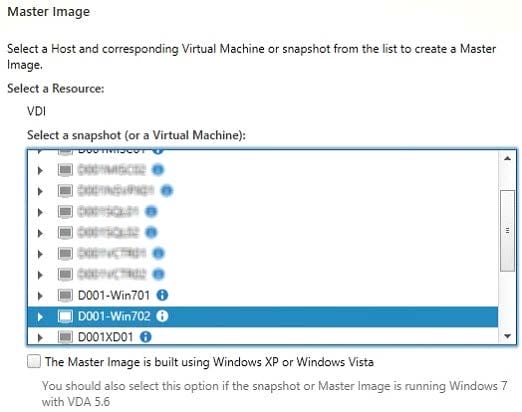
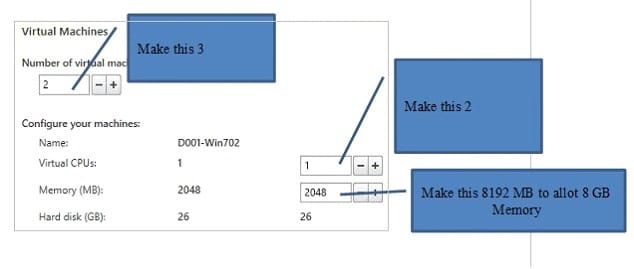
As the Citrix Engineer, you have been asked to provision desktop OS machines with sufficient resources to three Imaging and Radiology team members in order to allow them to use their new applications. All three of the desktop OS machines should be assigned the Win8 vDisk, and the desktop OS machines should maintain changes after reboot. Members of the Imaging and Radiology team need to be able to log into the CCH.com domain.
The Windows 8 virtual machines were already created with the following information:
CCHWin801 - IR Desktop 1 CCHWin802 - IR Desktop 2
IP Address: DHCP Assigned MAC Address: 56:5b:b0:38:6a:54 NOT a member of Active Directory CCHWin803 - IR Desktop 3
IP Address: DHCP Assigned MAC Address: be:c8:96:6e:89:c9 NOT a member of Active Directory
In order to save time, a copy of an existing Window 8 base image vDisk was created and named Win8 and is stored in the PVS StoreOI store.
As the Citrix Engineer, use the existing site, store, and device collection to implement the tasks below.
Tasks:
1.
Create and configure all 3 of the Windows 8 desktop OS machines as target devices to boot using the Win8 vDisk.
2.
Name the target devices CCHWin801, CCHWin802, and CCHWin803.
3.
Modify the vDisk as necessary to meet the requirements outlined in the scenario.
A.


Home | About Us | Contact Us | FAQ | Guarantee Policy | Privacy Policy
Any charges made through this site will appear as Global Simulators Limited. All trademarks are the property of their respective owners.
Copyright © 2004-2026 pass2lead.com, All Rights Reserved.