

 Printable PDF

Oracle Talent Management Cloud 2019 Implementation Essentials: 1Z0-1052
Want to pass your Oracle Talent Management Cloud 2019 Implementation Essentials 1Z0-1052 exam in the very first attempt? Try Pass2lead! It is equally effective for both starters and IT professionals.
- Vendor: Oracle
- Exam Code: 1Z0-1052
- Exam Name: Oracle Talent Management Cloud 2019 Implementation Essentials
- Certifications: Oracle Certifications
- Total Questions: 70 Q&As( View Details)
- Updated on: Jul 04, 2026
- Note: Product instant download. Please sign in and click My account to download your product.



- Q&As Identical to the VCE Product
- Windows, Mac, Linux, Mobile Phone
- Printable PDF without Watermark
- Instant Download Access
- Download Free PDF Demo
- Includes 365 Days of Free Updates
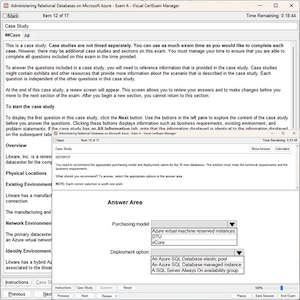
VCE
- Q&As Identical to the PDF Product
- Windows Only
- Simulates a Real Exam Environment
- Review Test History and Performance
- Instant Download Access
- Includes 365 Days of Free Updates
Passing Certification Exams Made Easy
Everything you need prepare and quickly pass the tough certification exams the first time
- 99.5% pass rate
- 7 Years experience
- 7000+ IT Exam Q&As
- 70000+ satisfied customers
- 365 days Free Update
- 3 days of preparation before your test
- 100% Safe shopping experience
- 24/7 Support
Oracle 1Z0-1052 Last Month Results
Free 1Z0-1052 Exam Questions in PDF Format
Related Oracle Certifications Exams
1Z0-1052 Online Practice Questions and Answers
Questions 1
What is the maximum number of section types that you can configure in a performance template to meet the requirements of a semiannual evaluation of a company and what are the section types?
A. two; rating model for risk and impact of loss, and overall summary to provide the overall rating of the worker or manager
B. three; profile content to rate worker competencies, goals to rate worker goals, and rating model for risk and impact of loss
C. five; goals to rate worker goals, overall summary, worker final feedback, manager final feedback, and profile content to rate worker competencies
D. five; profile content to rate worker competencies, goals to rate worker goals, overall summary, worker final feedback, and peer review
E. three; HR Specialist final feedback along with rating, overall summary region, and profile content to rate workers' risk of loss
F. four; worker and peer final feedback, manager review, HR review, and profile content to assess career preferences
Questions 2
You are an HR specialist for the Manufacturing Department of your company. This department contains a
total of six employees and your CEO has instructed you to perform the following steps:
Determine how well the employees' profiles match a job or position profile. Run an analysis, which
compares competencies, licenses, and certifications.
The process described above is ________.
A. determining plan bench strength
B. Best-Fit Analysis
C. determining readiness level
D. Talent Pool
Questions 3
What should a manager do if he has assigned an organization goal to his direct reports, but intends to change the target completion date of Goals for the direct reports?
A. Sign in as the manager, go to Navigator/About me/ Goals/ My Worker Goals. Select the goal assigned by him and click Edit. Change the target completion date and click Submit.
B. Manage cannot change the Target completion date of the assigned organizational Goal.
C. Sign in as the manager, go to Navigator/ About me/ Goals/ My Organization Goals. Select the goal created by him and click Edit. Change the target completion date and click Submit.
D. Sign in as the manager, go to Navigator/ About me/ Goals/ My Organization Goals. Delete the assigned goal and select a new goal created by him with the new target completion date and assign the newly created goal.
Reviews
-
Perry
 ChinaHello, guys. i have passed the exam successfully in the morning,thanks you very much.
 -
Quick
 PhilippinesValid dumps. I hope all my friend will pass the exam, so I will introduce this dumps to them.Good luck to them and you.
 -
Quinley
 PakistanThis Dump is Valid.I gave my test today, and passed,thanks!
 -
Rick
 United StatesWonderful dumps, thanks very much.
 -
zhe
 MalaysiaI passed the exam today. This dumps is valid and enough to your exam. I will share with my friends.
 -
King
 United Kingdomhi guys, thanks for your help. I passed the exam with good score yesterday. Thanks a million.
 -
Karel
 Russian Federationpassed the exam today. all the question from this dumps,so you can trust on it.
 -
Anna
 JapanPassed exam today with 989/1000. All questions were from this dumps. It's 100% valid. Special thanks to my friend Lily.
 -
Ramon
 GreeceThe answers are accurate. Well you should notice some of the questions are slightly changed. Be careful.
 -
ER
 IndonesiaThis Dump is 100% valid, Pass today. Dump valid.



Home | About Us | Contact Us | FAQ | Guarantee Policy | Privacy Policy
Any charges made through this site will appear as Global Simulators Limited. All trademarks are the property of their respective owners.
Copyright © 2004-2026 pass2lead.com, All Rights Reserved.