

98-383 Online Practice Questions and Answers
Questions 4
HOTSPOT
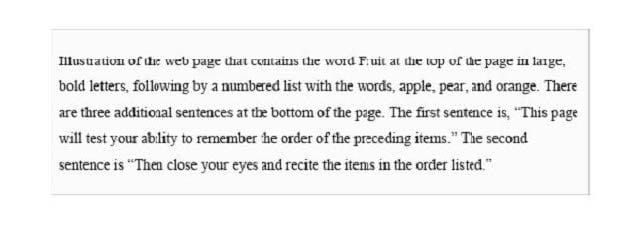
You are designing a webpage that tests a user's ability to remember a list of ordered items in a particular category. The page must contain a header that displays the category and a list of items in that category. An example is shown in the exhibit. (Click the Exhibit tab.) Exhibit Fruit
1.
Apple
2.
Pear
3.
Orange
This page will test your ability to remember the order of the preceding items.
Glance at the list for 3 seconds.
Then close your eyes and recite the items in the order listed.
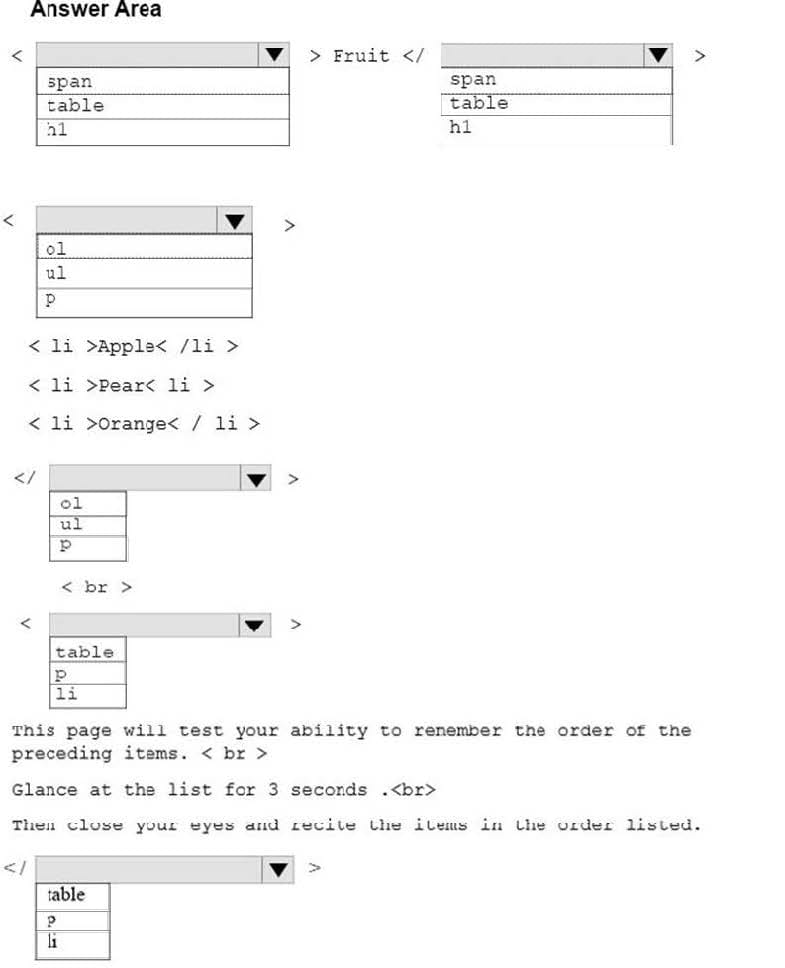
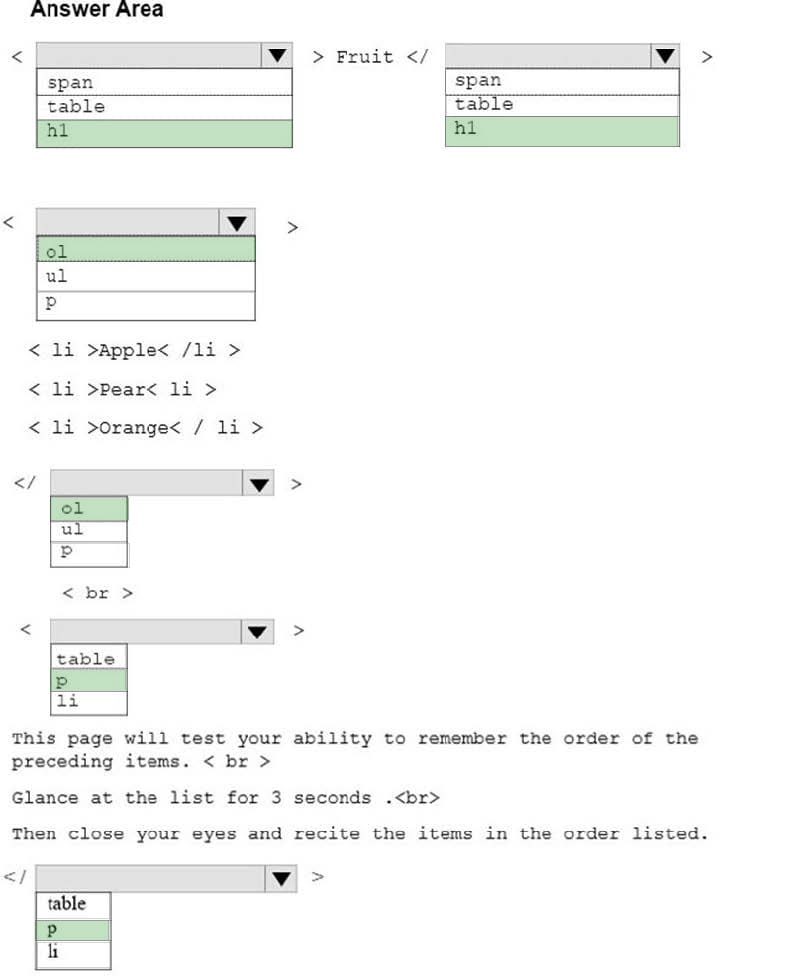
How should you complete the markup? To answer, select the appropriate markup segment in the answer area. NOTE: Each correct selection is worth one point.
Hot Area:
Questions 5
HOTSPOT
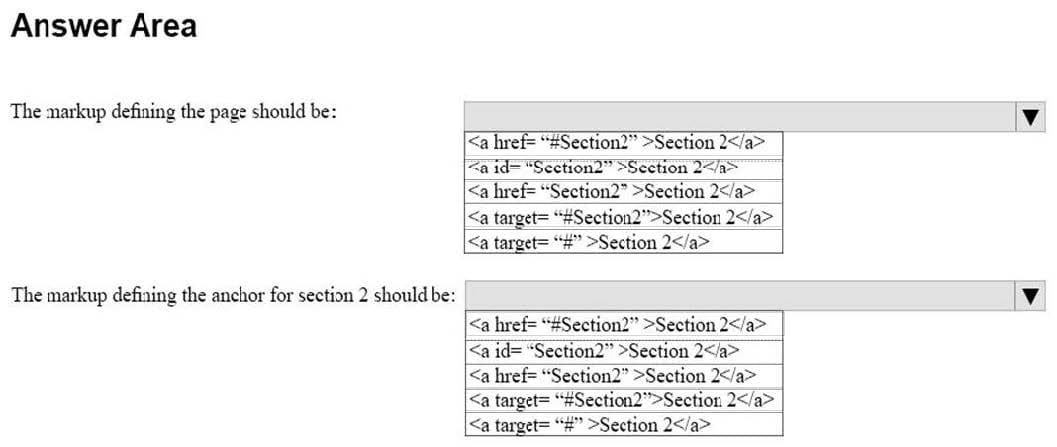
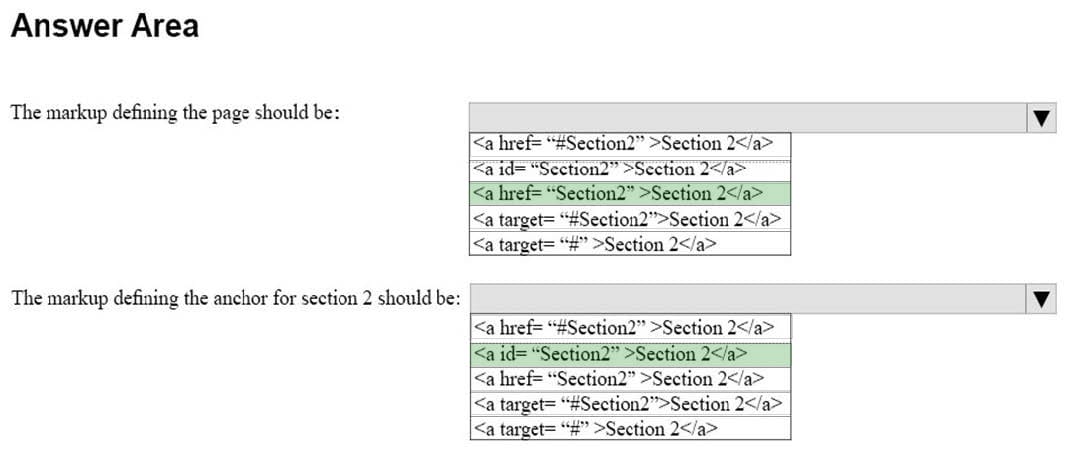
You are creating an HTML document that contains an essay with two sections.
You need to make it easy for the user to navigate from the top of the document to section 1.
How should you complete the markup? To answer, select the appropriate markup segments in the answer area.
NOTE: Each correct selection is worth one point.
Hot Area:
Questions 6
HOTSPOT
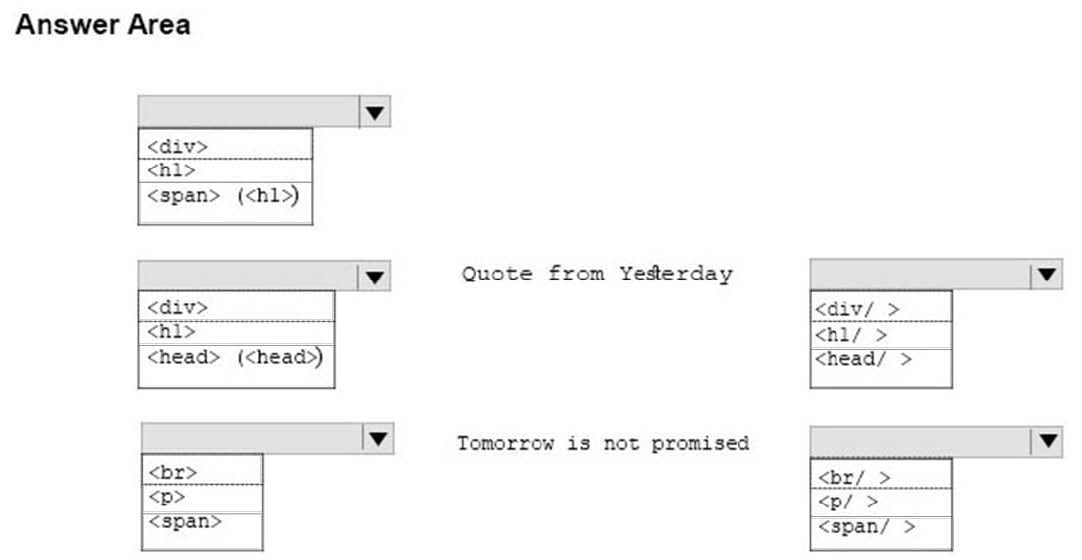
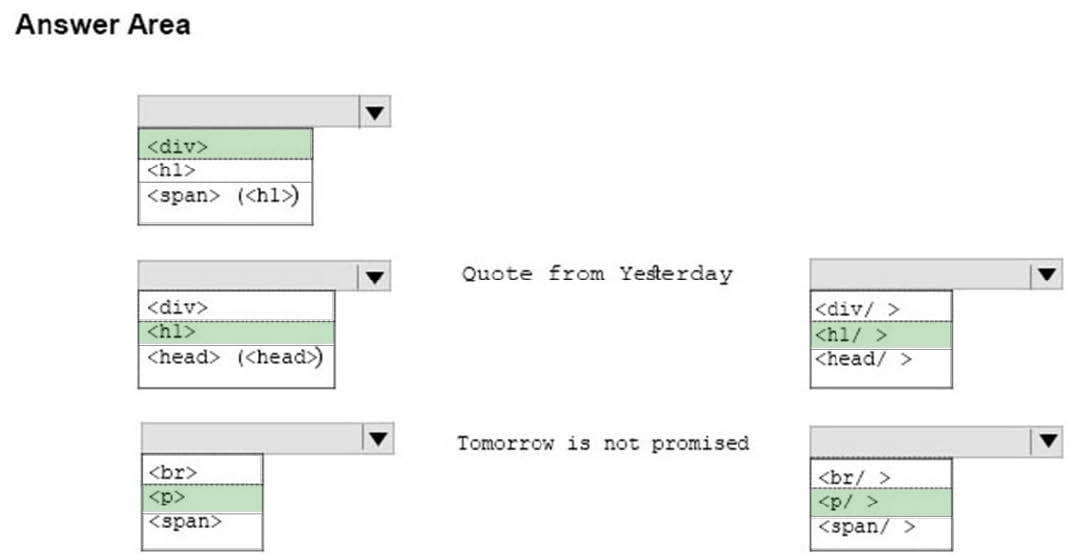
You are designing a webpage that is divided into several sections. Each section has a heading and a one-line quote. The following example shows the top section rendered by using the browser default styles:
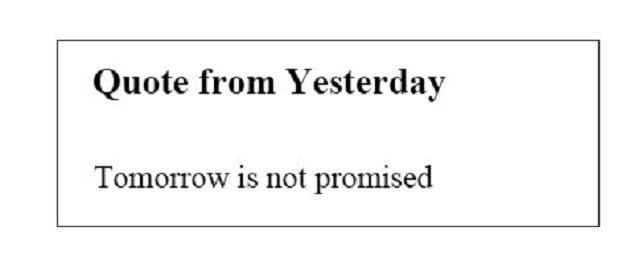
You need to complete the markup for the top section using the appropriate HTML tags.
How should you complete the markup? To answer, select the appropriate markup segments in the answer area.
NOTE: Each correct selection is worth one point
Hot Area:
Questions 7
HOTSPOT
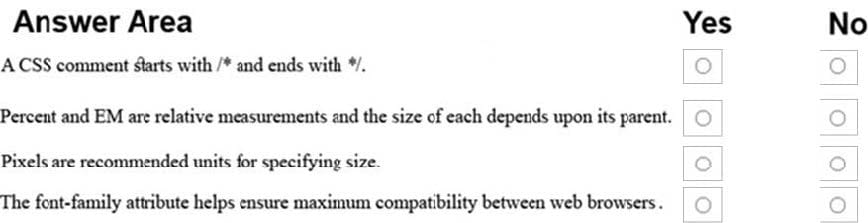
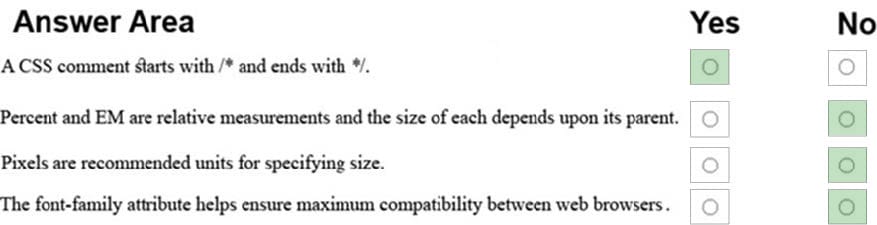
For each of the following statements, select Yes if the statement is true. Otherwise, select No. NOTE: Each correct selection is worth one point.
Hot Area:
Questions 8
HOTSPOT
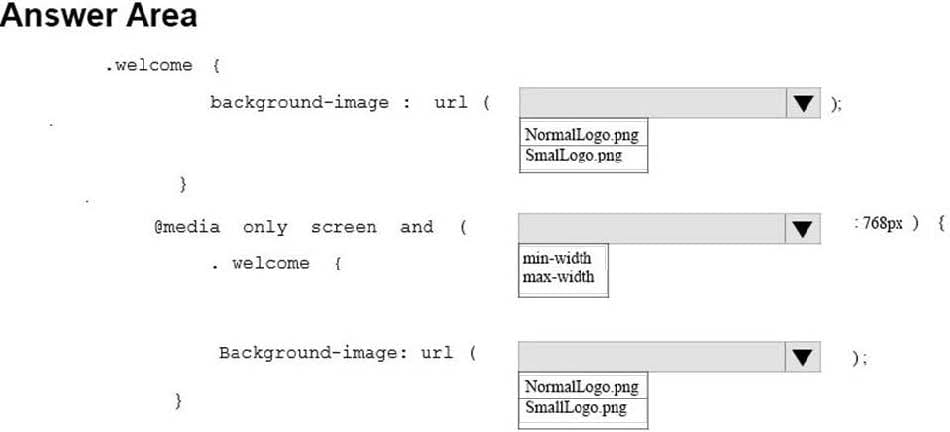
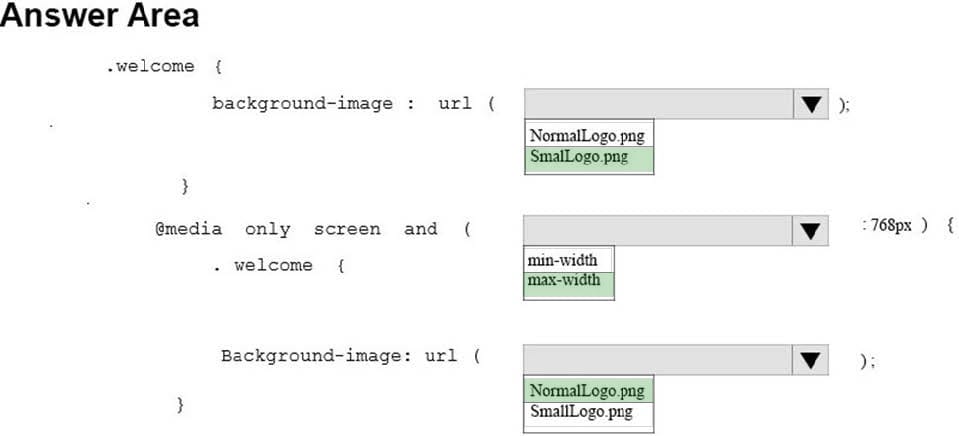
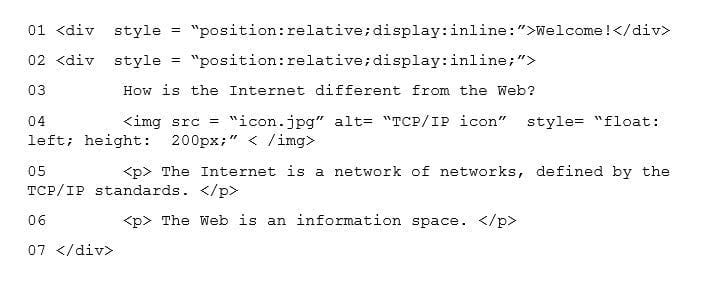
You are designing a webpage for your company. The page must be responsive so that it can be viewed on both mobile and desktop browsers.
On mobile browsers, or those with a screen width of less than 768 pixels you want to display a welcome background image named SmalLogo.png. On all other browsers, you want to display a welcome background image named
NormalLogo.png.
How should you complete the code? To answer, select the appropriate code segment in the answer area.
NOTE: Each correct selection is worth one point.
Hot Area:
Questions 9
HOTSPOT
You are designing a webpage for your company. You want to display an image named contoso.png on the page. If the user's Internet connection is slow, or if the user is visually impaired, you want the text Contoso Logo to be displayed or
read aloud.
How should you complete the markup? To answer, select the appropriate markup segments in the answer area.
Hot Area:


Questions 10
DRAG DROP
You need to create the following web page:

Which five markup segments should you use to develop the solution? To answer, move the appropriate markup segments from the list of markup segments to the answer area and arrange them in the correct order.
Select and Place:


Questions 11
DRAG DROP
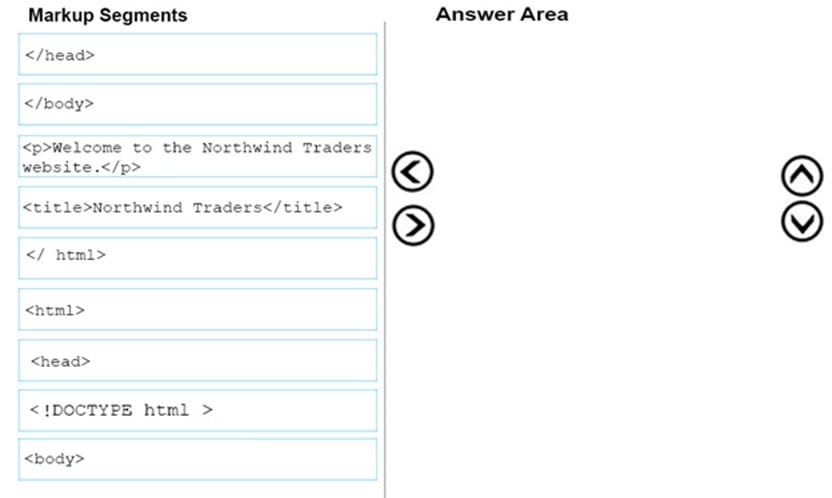
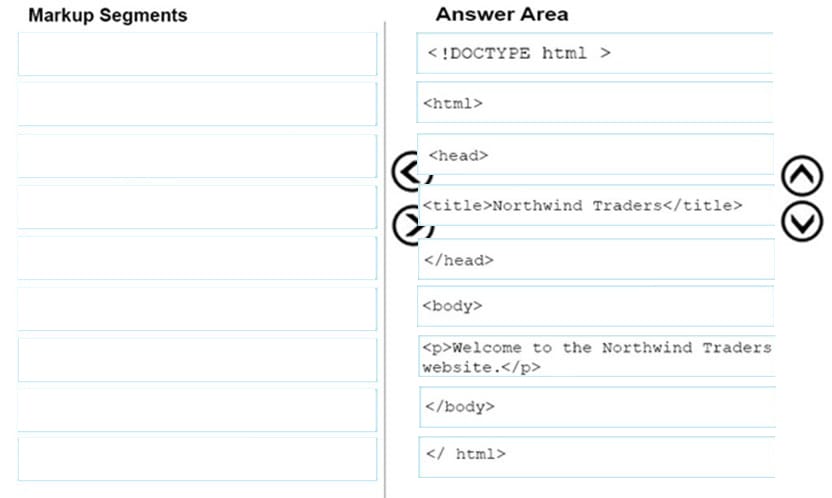
You are creating a website for Northwind Traders appear on the browser tab. There will also be a paragraph that greets users to the site.
You need to crate the structure of the website.
In which order should you arrange the markup segments to develop the solution? To answer, move all markup segments from the list of markup segments to the answer area and arrange them in the correct order.
Select and Place:
Questions 12
DRAG DROP
You are creating a home page for Blue Yonder Airlines. The page will use JavaScript. If a browser does not support JavaScript, the following message must be displayed:
Your browser does not support JavaScript!
For the Blue Yonder Airlines home page, match the metadata element to the content or attribute-value pair. To answer, drag the appropriate metadata element form the column on the left to its content or attribute-value pair on the right. Each
metadata element may be used once, more than once, or not at all.
NOTE: Each correct selection is worth one point.
Select and Place:


Questions 13
DRAG DROP
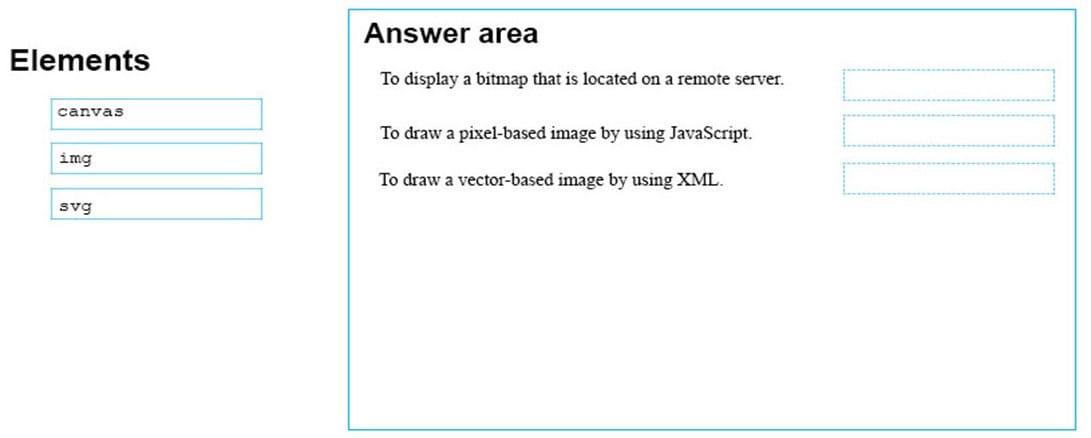
You are designing a website that displays graphics.
You need to determine whether to use img, svg, or canvas elements.
When should you use each element? To answer, drag the appropriate element from the column on the left to its use on the right.
Each element may be used once, more than once, or not at all.
Select and Place:



Home | About Us | Contact Us | FAQ | Guarantee Policy | Privacy Policy
Any charges made through this site will appear as Global Simulators Limited. All trademarks are the property of their respective owners.
Copyright © 2004-2026 pass2lead.com, All Rights Reserved.