

9L0-420 Online Practice Questions and Answers
Questions 4
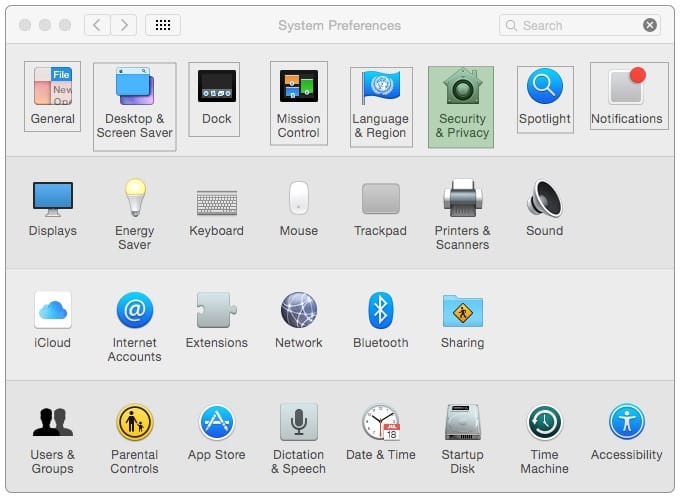
In the screenshot, click the icon of the preference pane where you can enable Windows users on your network to access files on your Mac.
Hot Area:
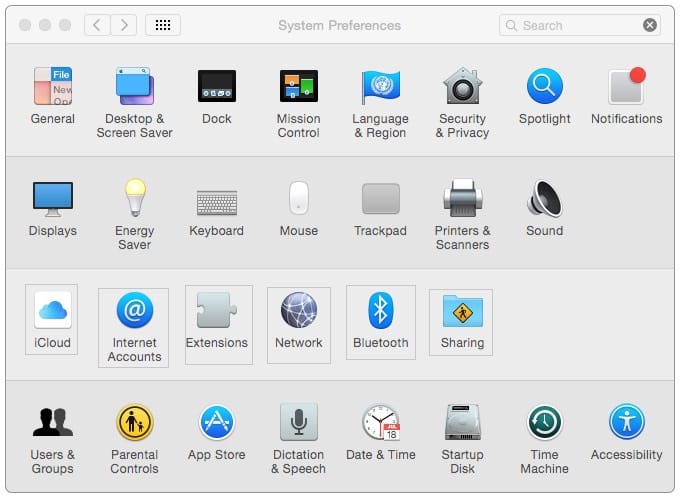
Hot Area:
Questions 5
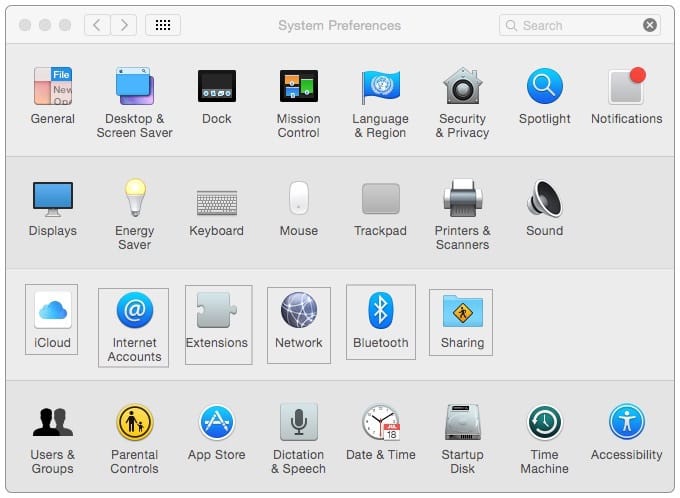
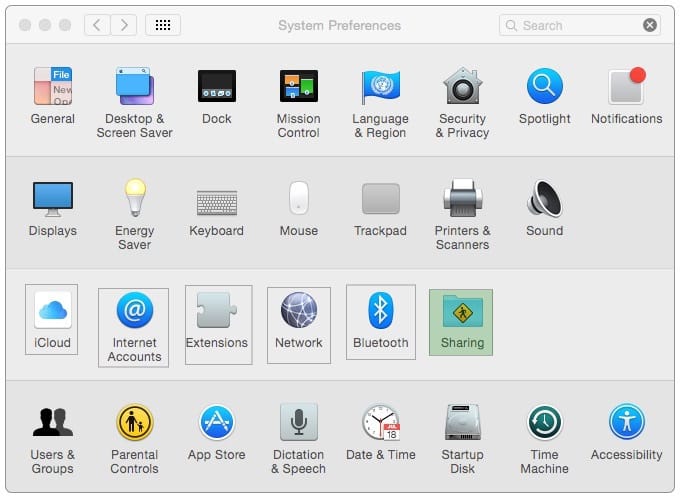
In the screenshot, click the icon of the preference pane where you configure VPN.
Hot Area:


Questions 6
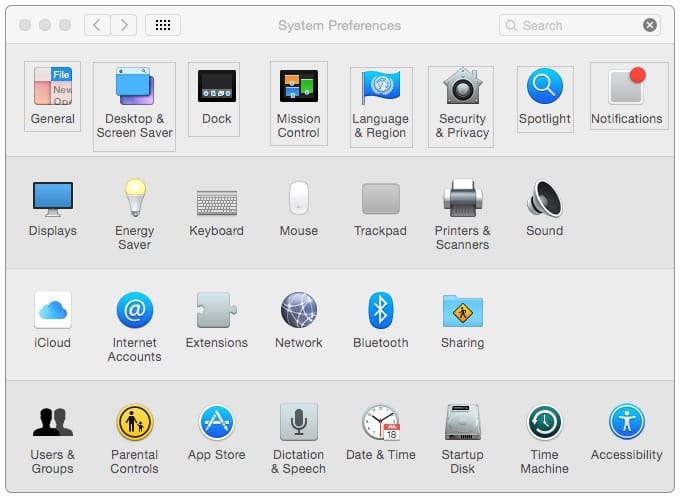
In the screenshot, click the icon of the preference pane where you turn on the OS X personal firewall.
Hot Area:
Questions 7
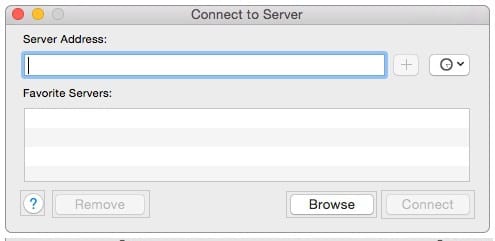
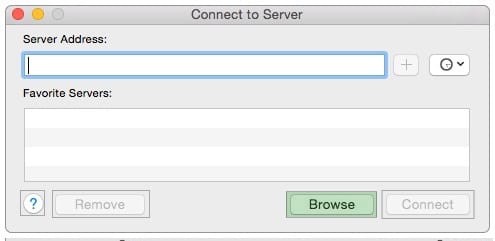
In the screenshot, click the interface element that displays a list of available file servers on your network.
Hot Area:
Questions 8
Review the screenshot, then answer the question below.
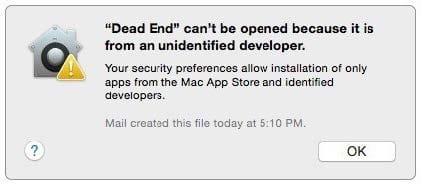
You try to open an application called Dead End, but you get the alert shown above. You know the application comes from a trusted source. How can you open the Dead End application?
A. Open Security and Privacy preferences, click the Gatekeeper tab, click the Add (+) button beneath the Authorized Applications list, and enter Dead End.
B. Control-click the application, choose Open from the shortcut menu, then click Open in the dialog that appears.
C. Option-click the application.
D. Open Security and Privacy preferences, click the Gatekeeper tab, click the Add (+) button beneath the Developers list, and enter Houdini.
Questions 9
You connected a new USB hard drive to your Mac. Which action will configure Time Machine to back up your data to the USB drive?
A. Dragging the USB hard disk icon from the desktop onto the Time Machine icon in the Dock.
B. Dragging the USB hard disk icon from the desktop onto the Time Machine icon in the /Applications/ Utilities/ folder.
C. Clicking Time Machine in System Preferences, then clicking Select Backup Disk, selecting the USB hard disk, and clicking "Use Disk."
D. Clicking the Time Machine icon in the Dock, selecting the new USB hard disk as the backup destination, choosing ZIP from the Backup Format list, and clicking Start.
Questions 10
Review the screenshot then answer the question below.
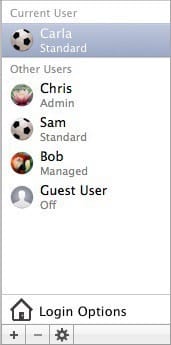
You have a Mac with the user accounts shown in the screenshot. To configure the Mac to connect to an Active Directory server, you must authenticate as which user?
A. Chris
B. Carla
C. Sam
D. Bob
Questions 11
You've used Boot Camp Assistant to create a partition on your Mac. Which step does the Windows installer perform before it finishes installing and configuring Windows?
A. Install Mac-specific drivers and support software
B. Reformat the partition using NTFS
C. Use Disk Utility to reformat the partition for Windows
D. Start up the computer using the BOOTCAMP partition
Questions 12
You're going to connect a new external hard drive to your Mac. Which action will configure Time Machine to back up your data to the external drive after you connect it?
A. Dragging your home folder to the new external hard disk icon on the desktop.
B. Clicking "Use as Backup Disk" in the Time Machine dialog that appears when you connect the external hard drive.
C. Dragging the new external hard disk icon from the desktop onto the Time Machine application icon in the /Applications/Utilities/ folder.
D. Opening Time Machine, selecting the new external hard disk as the backup destination, choosing ZIP from the Backup Format list, and clicking Start.
Questions 13
You're using Boot Camp to install Windows on your Mac. Which is the minimum version of Windows that Boot Camp supports?
A. Windows XP
B. Windows Vista
C. Windows 7
D. Windows 8


Home | About Us | Contact Us | FAQ | Guarantee Policy | Privacy Policy
Any charges made through this site will appear as Global Simulators Limited. All trademarks are the property of their respective owners.
Copyright © 2004-2026 pass2lead.com, All Rights Reserved.