

 Printable PDF

Red Hat Certified System Administrator (RHCSA): EX200
Want to pass your Red Hat Certified System Administrator (RHCSA) EX200 exam in the very first attempt? Try Pass2lead! It is equally effective for both starters and IT professionals.
- Vendor: Red Hat
- Exam Code: EX200
- Exam Name: Red Hat Certified System Administrator (RHCSA)
- Certifications: Red Hat Certifications
- Total Questions: 134 Q&As( View Details)
- Updated on: Jul 04, 2026
- Note: Product instant download. Please sign in and click My account to download your product.



- Q&As Identical to the VCE Product
- Windows, Mac, Linux, Mobile Phone
- Printable PDF without Watermark
- Instant Download Access
- Download Free PDF Demo
- Includes 365 Days of Free Updates
VCE
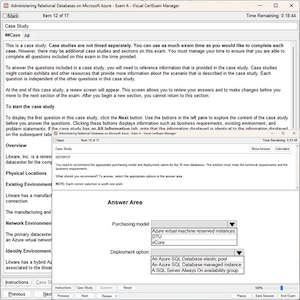
- Q&As Identical to the PDF Product
- Windows Only
- Simulates a Real Exam Environment
- Review Test History and Performance
- Instant Download Access
- Includes 365 Days of Free Updates
Passing Certification Exams Made Easy
Everything you need prepare and quickly pass the tough certification exams the first time
- 99.5% pass rate
- 7 Years experience
- 7000+ IT Exam Q&As
- 70000+ satisfied customers
- 365 days Free Update
- 3 days of preparation before your test
- 100% Safe shopping experience
- 24/7 Support
Red Hat EX200 Last Month Results
Free EX200 Exam Questions in PDF Format
Related Red Hat Certifications Exams
EX200 Online Practice Questions and Answers
Questions 1
Configure autofs to make sure after login successfully, it has the home directory autofs, which is shared as /rhome/ldapuser40 at the ip: 172.24.40.10. and it also requires that, other ldap users can use the home directory normally.
Questions 2
Create a Shared Directory.
Create a shared directory /home/admins, make it has the following characteristics:
/home/admins belongs to group adminuser
This directory can be read and written by members of group adminuser Any files created in /home/ admin, group automatically set as adminuser.
Questions 3
Part 1 (on Node1 Server)
Task 12 [Accessing Network-Attached Storage]
Configure autofs to automount the home directories of user remoteuserX. Note the following:
utility.domain15.example.com(172.25.15.9), NFS-exports /netdir to your system, where user is remoteuserX where X is your domain number
remoteuserX home directory is utility.domain15.example.com:/netdir/remoteuserX
remoteuserX home directory should be auto mounted locally at /netdir as /netdir/remoteuserX
Home directories must be writable by their users while you are able to login as any of the remoteuserX only home directory that is accessible from your system
Reviews
-
zyz
 Indiathere are many same questions between this dumps and exam, so i have passed the exam this morning.thanks for this dumps
 -
LoL
IndiaAll this dumps are very good, i just did this one and took part in my exam. i really don't believe myself that i have got so high score. Thanks for their dumps. -
zzz
 United Statesi must recommend this dumps to you for i achieved full score with the help of it. i believe that you can do it like me by using this dumps.
 -
Luka
United StatesMy good friend introduced this material to me. It really useful and convenient. I just prepared the exam by using this material and achieved high score than others. So I'm very happy. Thanks my friend and this material. -
Rhys
 Greeceupdate quickly and be rich in content, great dumps.
 -
ziko
 PakistanValid dumps. Thanks very much.
 -
Caden
United StatesThe content is rich and the answers are accurate, so this material is enough for you to pass the exam. Try your best and do everything carefully. -
Orlando
 BangladeshMany questions are from the dumps but few question changed. Need to be attention.
 -
Harold
 United KingdomDump valid! Only 3 new questions but they are easy.
 -
Sammy
 NigeriaPassed today with full score. I prepare only with this dumps. Valid.



Home | About Us | Contact Us | FAQ | Guarantee Policy | Privacy Policy
Any charges made through this site will appear as Global Simulators Limited. All trademarks are the property of their respective owners.
Copyright © 2004-2026 pass2lead.com, All Rights Reserved.