

GSUITE Online Practice Questions and Answers
Questions 4
You want to link to your Google Slides presentation from the company's website. The web developer has asked you to provide a hyperlink that will start the slideshow as soon as the user clicks the link. What should you do?
A. Click Insert and then click Link
B. Click File, click Download as, and then click Microsoft PowerPoint (.pptx)
C. Click Share and then click Get shareable link
D. Click File, click Publish to the web, click Link, and then click Publish
Questions 5
A new customer asks you to send a Google Docs document to them as a Microsoft Word document. From the File menu of your Google Docs document, what action should you take?
A. Click Email as attachment, and then select Microsoft Word (.docx)
B. Click Download as, click Plain Text (.txt), and send them an email with this file attached
C. Click Share, enter the customer's email address, and share the document
D. Click Make a Copy. Rename the document with a .docx extension, save it to "My Drive" and share the document with them
Questions 6
You need to set up a way to easily access a Google Drive folder that your team shared with you. The Team Drive with this shared folder has over 1,000 different folders. What should you do to have quick access to the shared folder?
A. Create a new folder in My Drive on Google Drive. Copy all the files from your team's folder to the new folder
B. Create a new folder in My Drive on Google Drive. Move your team's folder into this new folder
C. Find the shared folder on Google Drive. Change the color of the folder to red
D. Find the shared folder in Shared with me on Google Drive. Right-click on the folder, and then click Add to My Drive
Questions 7
You have a folder saved locally on your laptop. You need to upload the folder to Google Drive. What should you do?
A. In Google Drive, click New, and then click File Upload. Select the file you want to upload from your laptop
B. In Google Drive, click New, and then click Folder. Give a name to the new folder, and then click Create
C. In Google Drive, navigate to My Drive. Click Upload files and upload the relevant files from your local drive to Google Drive
D. In Google Drive, click New, and then click Folder Upload. Select a folder you want to upload, and then click Upload
Questions 8
You are presenting a Google Slides presentation and need to remind yourself of what to say. You want to see your notes while you are in presenter view. What should you do?
A. In your presentation, on each slide, click Insert, then click Comment, and add your speaking notes
B. In your presentation, add notes below each slide, where it says Click to add speaker notes
C. Write your notes in a Google Doc and link to that document in your Google Slides presentation
D. In your presentation, click Insert, select Text box, and add your notes to a textbox below each slide
Questions 9
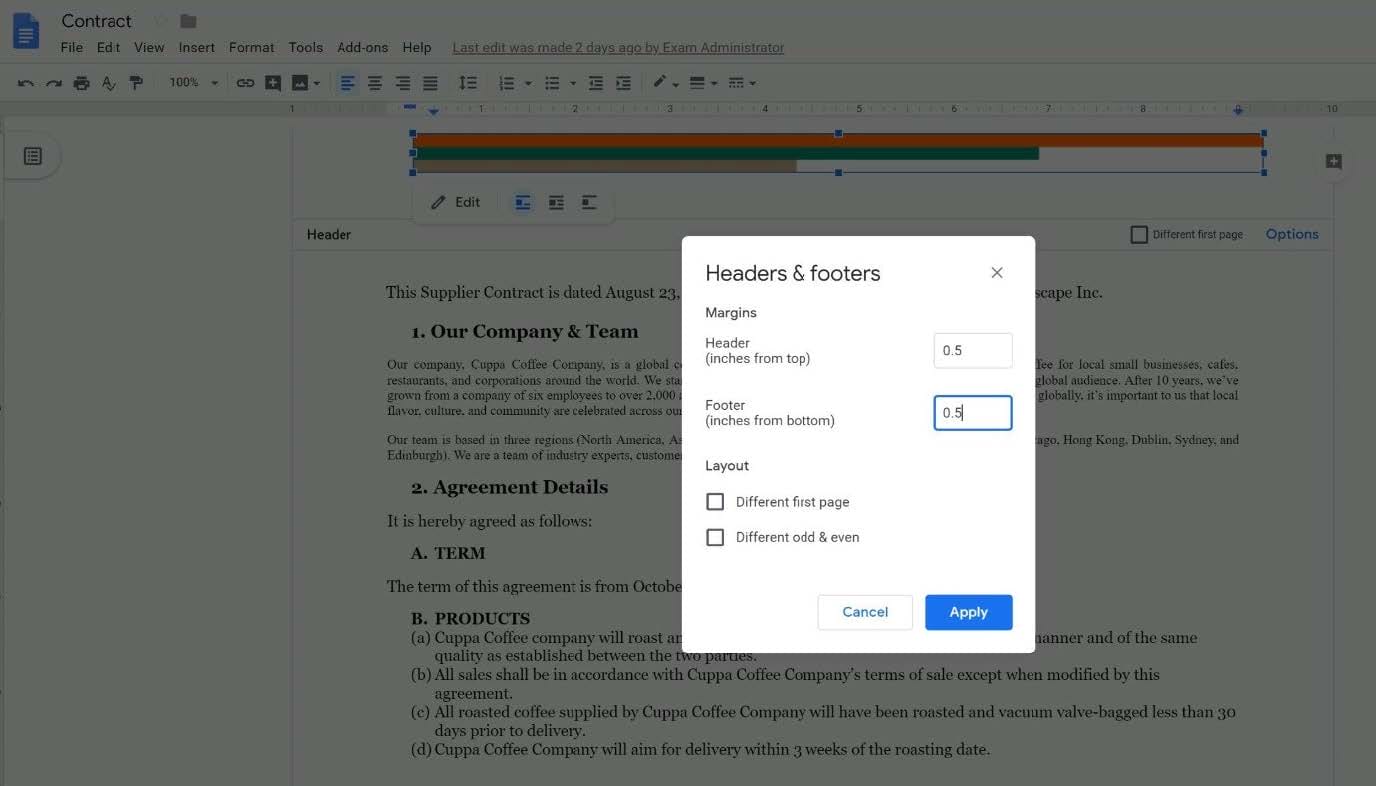
SIMULATION Overview You have negotiated a new deal with a customer. You now want to finalize their contract with your
company for an annual supply of coffee beans.
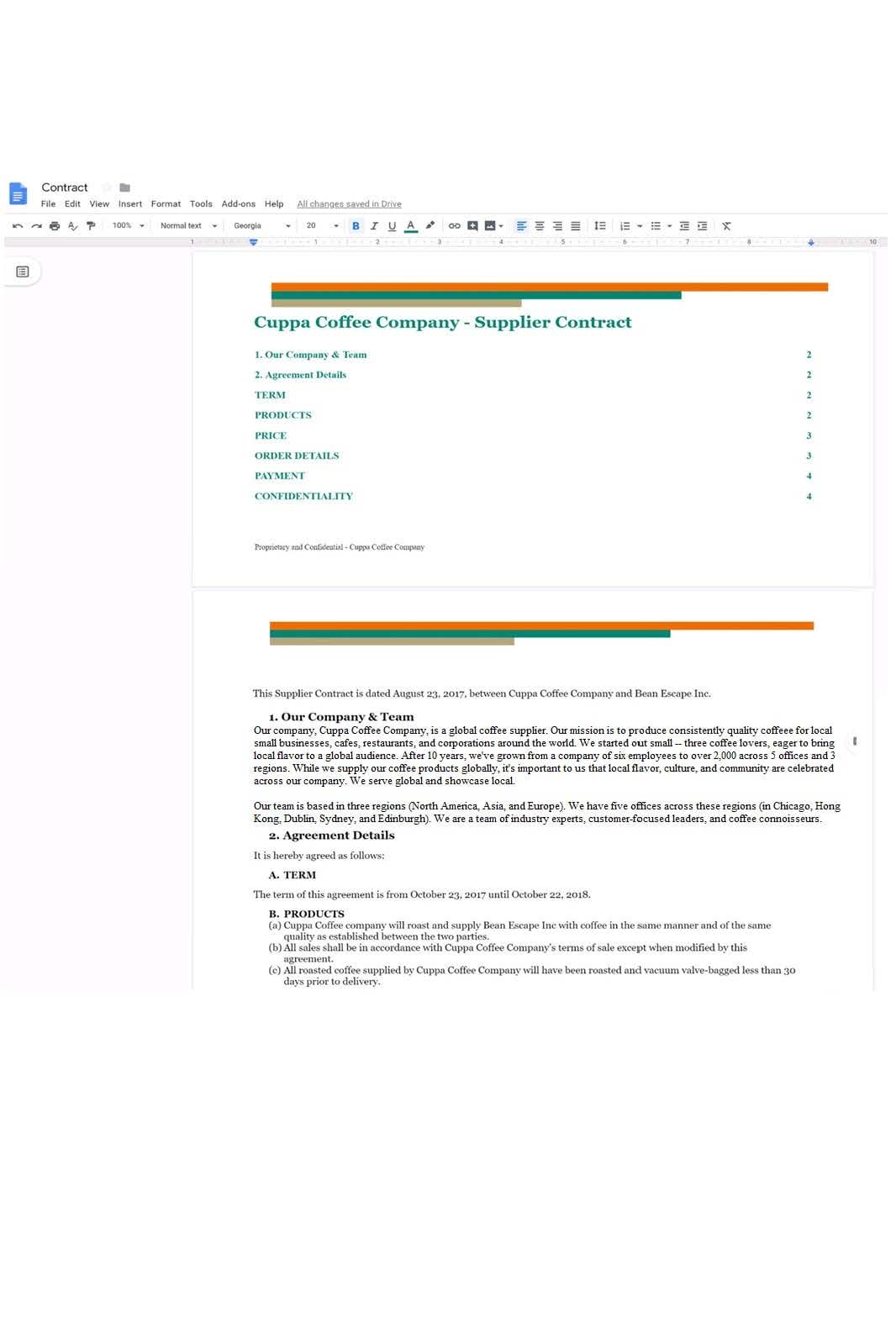
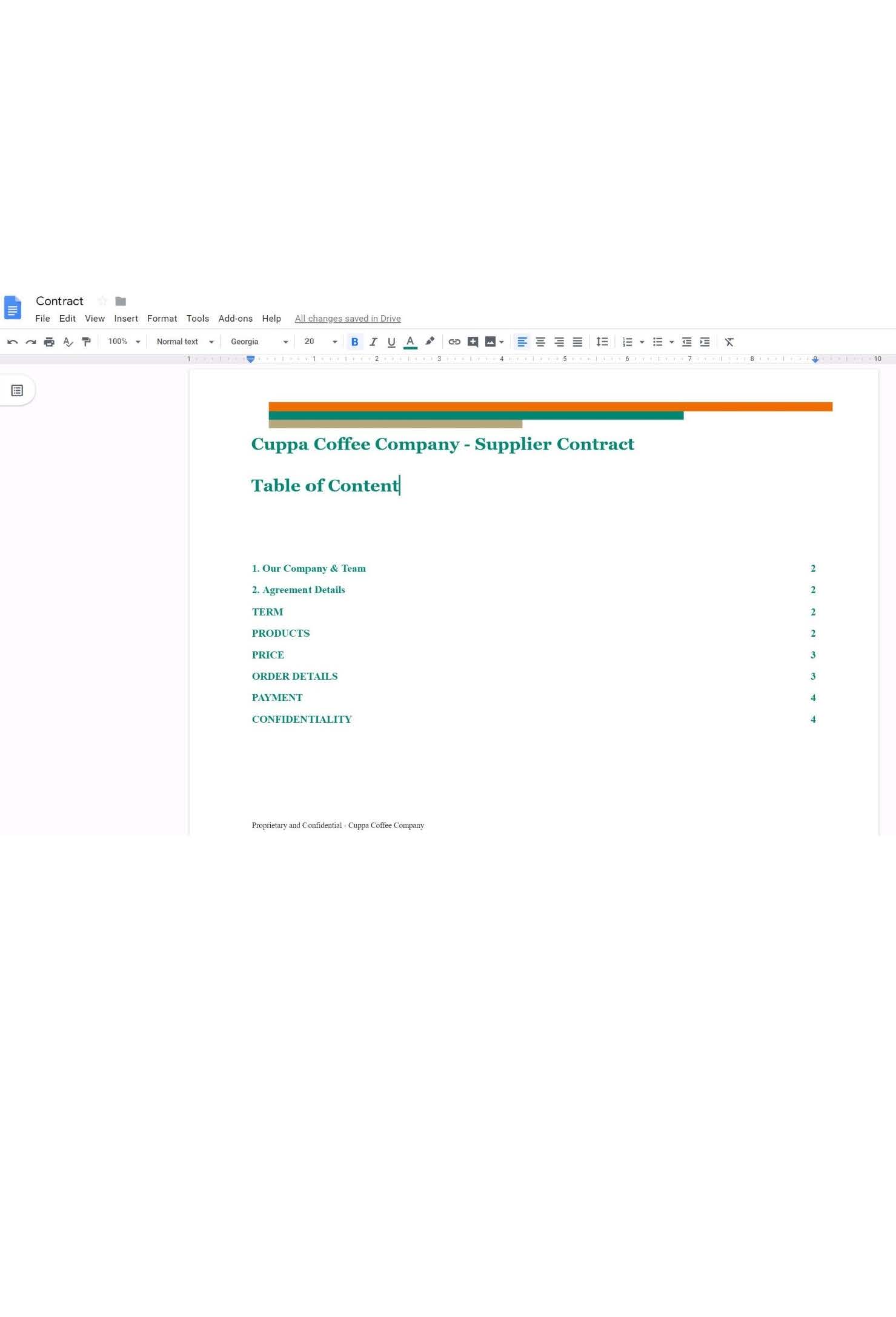
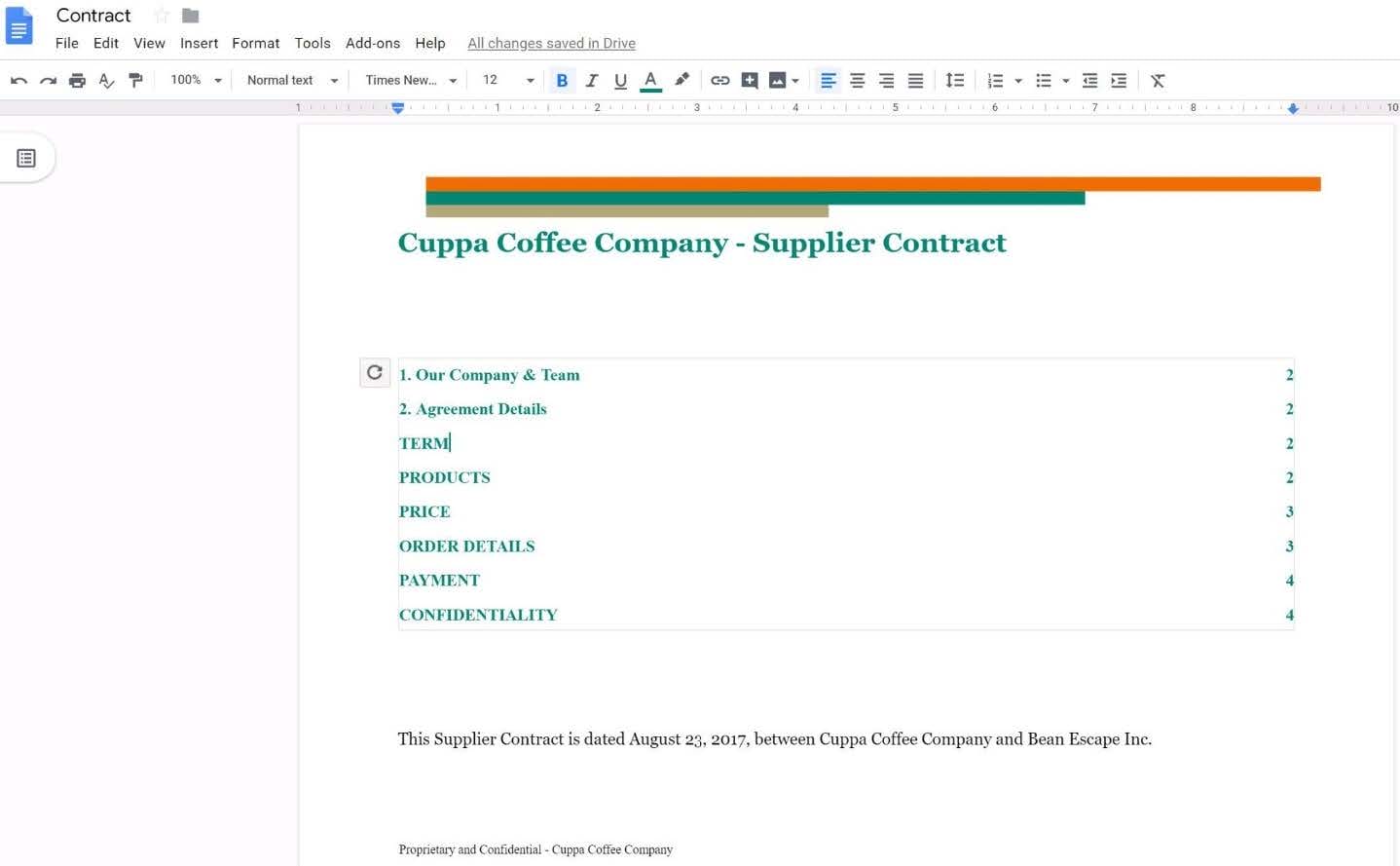
You want to add a table of contents to the Contract document that automatically updates when changes are made to the different section headers. Add a table of contents with page numbers to the beginning of the contract documents, directly under the title header Cuppa Coffee Company ?Supplier Contract.
A. See explanation below.
Questions 10
SIMULATION Overview You have negotiated a new deal with a customer. You now want to finalize their contract with your
company for an annual supply of coffee beans.


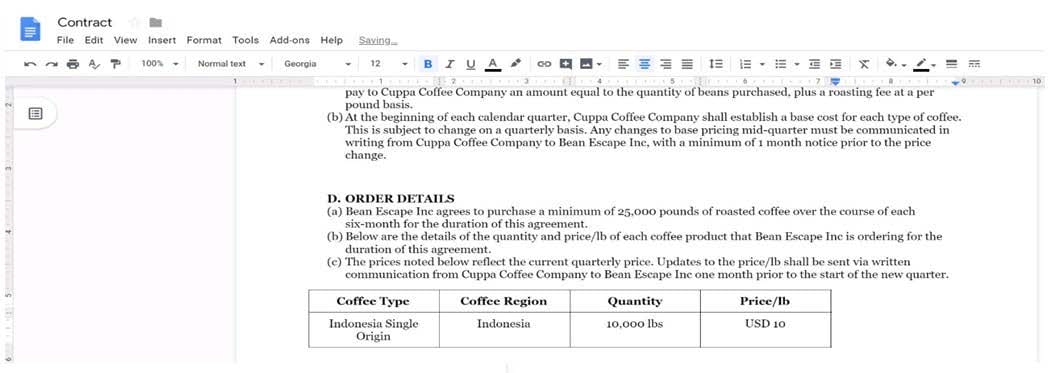
In the table in section 2D ORDER DETAILS of the Contract document, all of the content is center-aligned. Update the alignment of all content in the table to be left-aligned.
A. See explanation below.


Questions 11
SIMULATION Overview As the new regional sales manager at Cuppa Coffee Company, your manager has asked you to review,
update, and add to two existing Google Slides presentations. In the following questions, you will be editing presentations.

You need to edit an existing presentation all about your company, Cuppa Coffee Company. On the first slide of the Cuppa Coffee Company presentation, italicize the Consistently Quality Coffee text.
A. See explanation below.


Questions 12


SIMULATION
Overview
In the following tasks, you will demonstrate your ability to work in Google Docs. Dream Digital Design is a web design company known for building exceptional websites. You will be editing the job description for the new web designer role that will open shortly. Use the Dream Digital Design Job Description for all the tasks in this scenario.

Leave a comment for Monica, monica@dreamdigitaldesign.com, next to the word Benefits. The comment should say Please confirm the list of benefits.
A. See explanation below.

Questions 13
SIMULATION
Overview
In the following tasks, you will demonstrate your ability to work in Google Docs. Cascara is a furniture wholesaler with warehouses located in Europe. You will be filling out a form to ship a load of goods to one of the warehouses. Use the Carriage of Goods by Road (CGR) for all the tasks in this scenario.
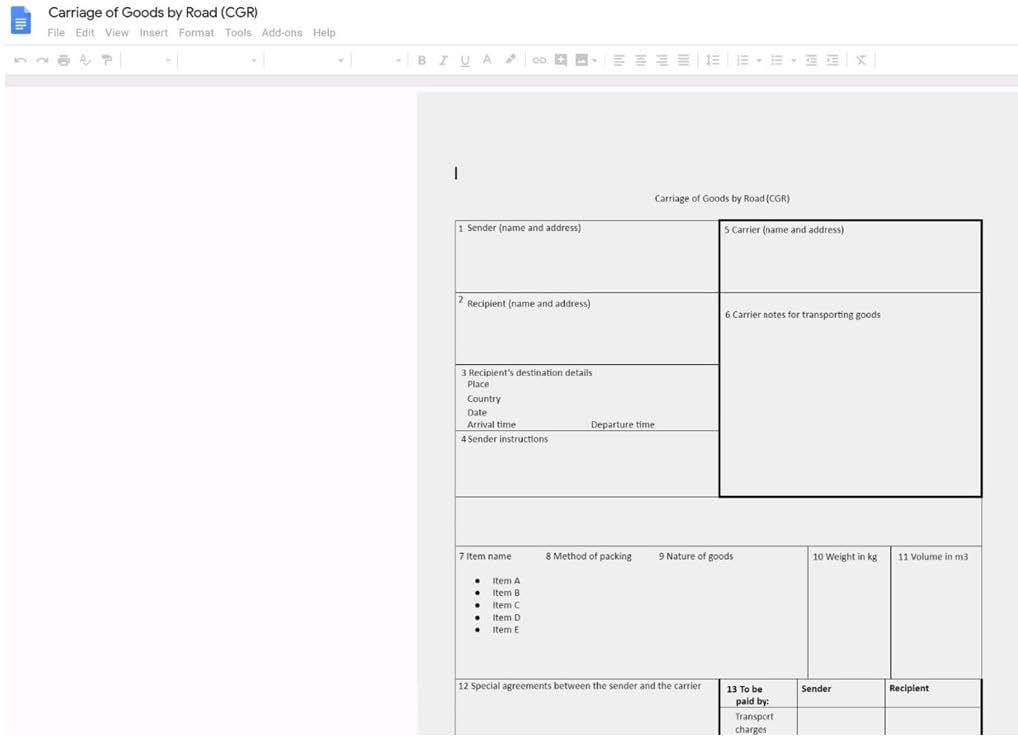
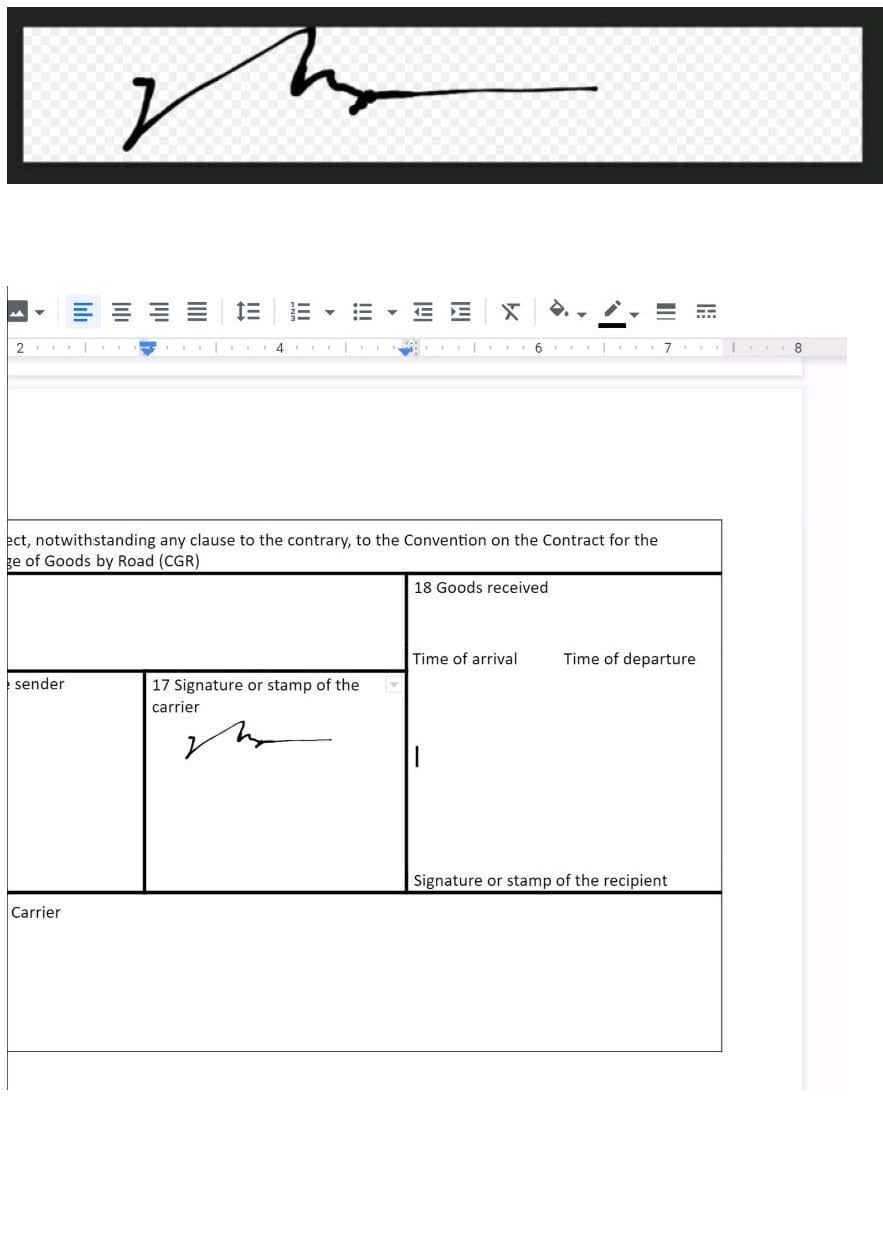
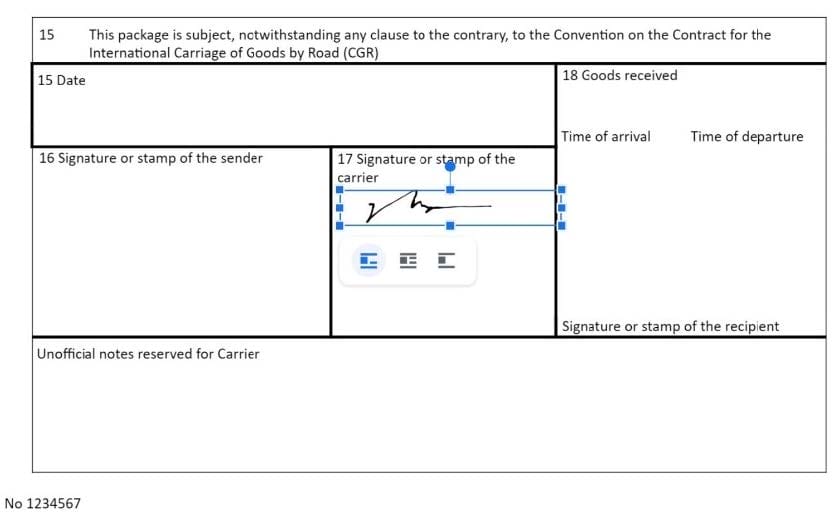
Insert the electronic signature, carrier_signature.png, in the cell titled, 17 Signature or stamp of the carrier.
A. See explanation below.


Home | About Us | Contact Us | FAQ | Guarantee Policy | Privacy Policy
Any charges made through this site will appear as Global Simulators Limited. All trademarks are the property of their respective owners.
Copyright © 2004-2026 pass2lead.com, All Rights Reserved.