

MO-101 Online Practice Questions and Answers
Questions 4
Edit the 'Club' macro to change the macro name to "Footer".
A. See the steps below.
B. PlaceHolder
C. PlaceHolder
D. PlaceHolder
Questions 5
You are creating a newsletter tor Adventure Works Cycles to promote an outdoor adventure club. Change the style of all content that is formatted with the Emphasis style to the Intense Emphasis style.
A. See the steps below:
B. PlaceHolder
C. PlaceHolder
D. PlaceHolder
Questions 6
Mark an index entry for the "ABOUT US' heading immediately after the text.
A. See the steps below.
B. PlaceHolder
C. PlaceHolder
D. PlaceHolder
Questions 7
This project has only one task.
Modify the Digital Signature building block so that it insert content its own paragraph.
A. See the steps below.
B. PlaceHolder
C. PlaceHolder
D. PlaceHolder
Questions 8
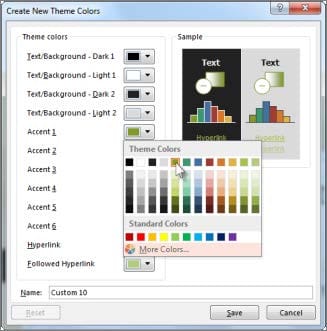
Create a character style named ‘’Warning’’ that applies the Arial Black font and Color Dark Red (from the Standard Color palette).
A. See the steps below.
B. PlaceHolder
C. PlaceHolder
D. PlaceHolder
Questions 9
At the bottom of the page, insert a Date Picker control to the right of the text ‘Date’’.
A. See the steps below.
B. PlaceHolder
C. PlaceHolder
D. PlaceHolder
Questions 10
This project has only one task.
Select the "Bellows College' and 'Department of Chemistry" paragraphs. Save the selected text as a Quick Part named Chemistry header. Save the Quick Part in the Bellows template, in a custom category named 'Departments’'.
A. See the steps below.
B. PlaceHolder
C. PlaceHolder
D. PlaceHolder
Questions 11
Save the styles in the document as a style set named Wells". Save the style set file in the default location.
A. See the steps below.
B. PlaceHolder
C. PlaceHolder
D. PlaceHolder
Questions 12
Display the caption 'Figure 2 Patricia Doyle and friend'' below the second photo in the document. Note: Word automatically adds the text Figure 2.
A. See the steps below.
B. PlaceHolder
C. PlaceHolder
D. PlaceHolder
Questions 13
You are creating a newsletter for Alpine Ski House.
Copy only the Title style from the AlpineStyle template in the Documents folder into the current document Overwrite the existing style to change the appearance of the document title.
Note: Copy the style the template to the document. Do not attach the template to the documents.
A. See the steps below.
B. PlaceHolder
C. PlaceHolder
D. PlaceHolder


Home | About Us | Contact Us | FAQ | Guarantee Policy | Privacy Policy
Any charges made through this site will appear as Global Simulators Limited. All trademarks are the property of their respective owners.
Copyright © 2004-2026 pass2lead.com, All Rights Reserved.