

PL-500 Online Practice Questions and Answers
Questions 4
You are developing a desktop flow that reads data from a table in a Microsoft Excel workbook. You need to read the cell in the fourth row and first column of the table.
Which two expressions can you use? Each correct answer presents a complete solution.
NOTE: Each correct answer is worth one point.
A. %ExcelData[1][4]%
B. %ExcelData[4][0]%
C. %ExcelData['Column1'][4]%
D. %ExcelData[4]['Column1']%
Questions 5
You are designing a user interface automation that uses a Power Automate for desktop flow.
The solution must allow you to use wildcard characters including question marks and asterisks to define a window
You need to select the window mode for the automation.
Which window mode should you use?
A. By window Ul element
B. By title and/or class
C. By window instance/handle
D. By variable
Questions 6
You are developing a power Automate desktop flow to process documentation. The flow has a variable bank account numbers.
Users are able to view bank account number while the flow is tested.
You need to ensure the bank account number are not visible in the flow.
What should you do?
A. Mark variables produced as disabled.
B. Mark the variable as sensitive.
C. Turn on Secure input in a cloud flow.
D. Change the external name.
Questions 7
You have an automation solution that uses a desktop flow. The flow reads data from a file that is stored on UserA's machine and writes data to an application. You import the solution to an environment that is connected to UserA's machine.
UseerB report that the flow fails. An alert indicated that the path to thee the file does not exist. You conform that the file is present on userB's desktop.
You need to resolve the issue.
What should UserB Do?
A. Delete and recreate the file.
B. Change access rights for the file to allow read operations for the PAD process.
C. Change the location of the file to a specific path that is not dependent on the signed-in user.
D. Modify the action to retry if the process cannot find the file.
Questions 8
HOTSPOT
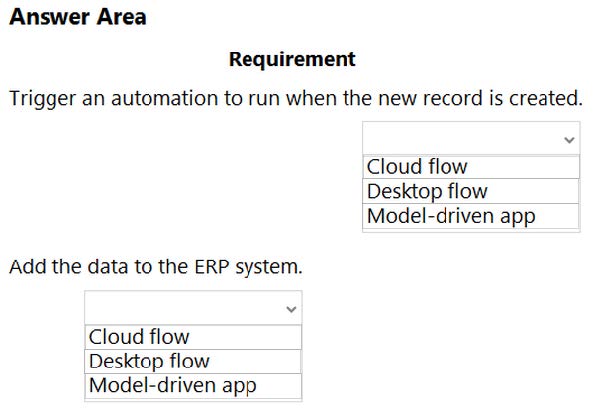
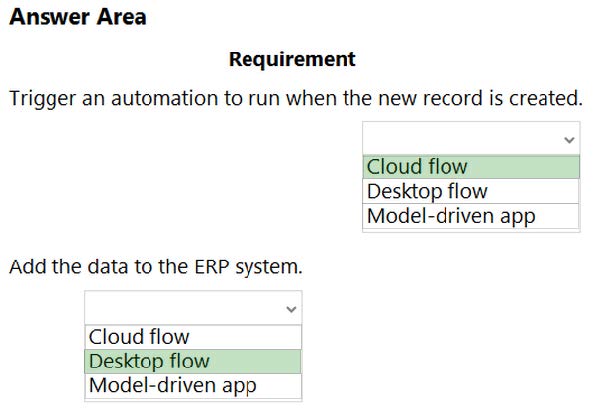
You are creating an automation for a company. When a new record is created in a Microsoft Dataverse table, the automation must add the same data to an enterprise resource planning (ERP) system. The ERP system does not have an API.
You need to create the automation solution.
What should you use? To answer, select the appropriate options in the answer area.
NOTE: Each correct selection is worth one point.
Hot Area:
Questions 9
HOTSPOT
You are creating a custom selector for a Microsoft Excel workbook by using a Power Automate desktop flow.

Use the drop-down menus to select the answer choice that answers each question based on the information presented in the graphic. NOTE: Each correct selection is worth one point.
Hot Area:


Questions 10
HOTSPOT
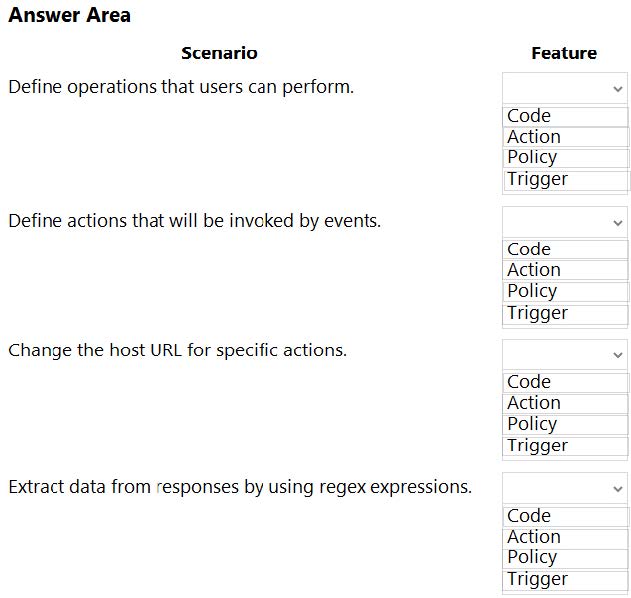
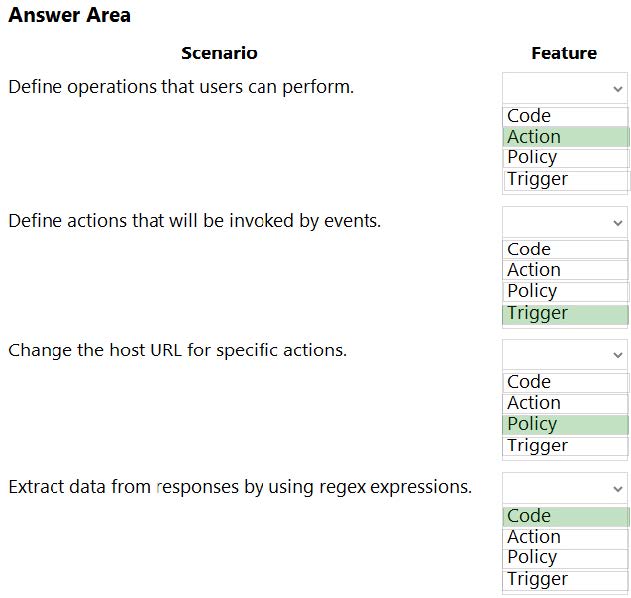
You are developing a custom connector.
You need to create the definition for the connector.
Which features should you use? To answer, select the appropriate options in the answer area.
NOTE: Each correct selection is worth one point.
Hot Area:
Questions 11
HOTSPOT
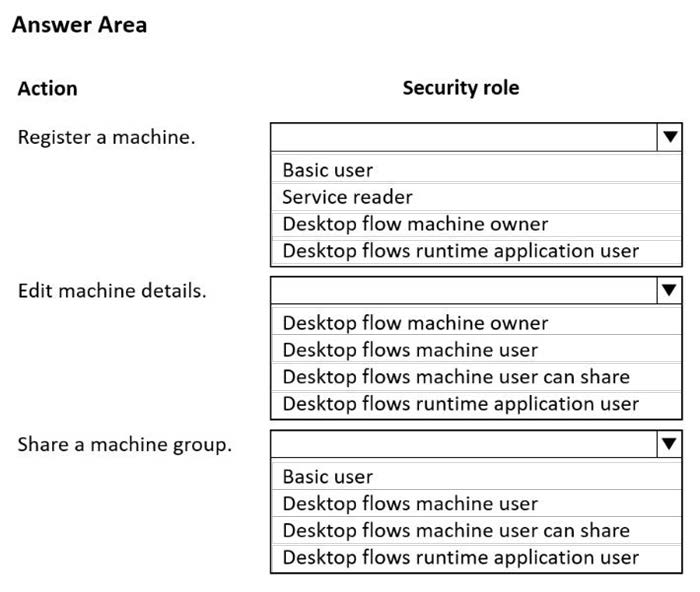
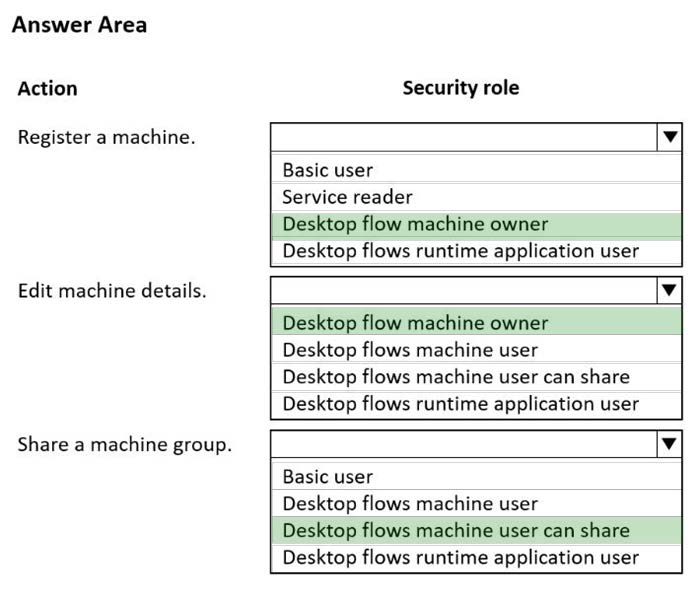
You are performing machine registration for your environment and assigning security roles to users.
Several Power Automate desktop flows will run across several machines.
You must restrict which users on the team can register, share, and modify the machines.
You need to assign permissions to users by using out-of-the-box desktop flow security roles.
Which security role should you use for each action? To answer, select the appropriate options in the answer area.
NOTE: Each correct selection is worth one point.
Hot Area:
Questions 12
DRAG DROP
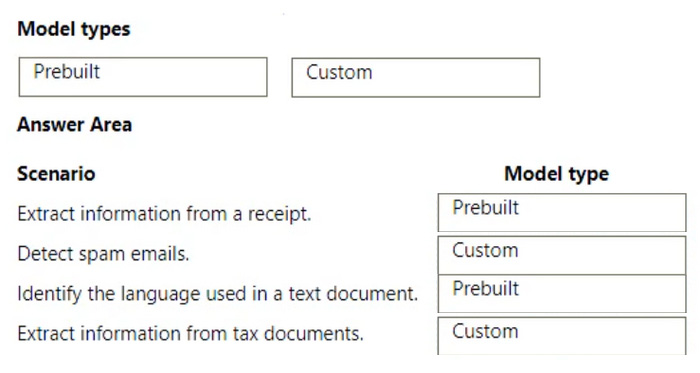
A company plans to implement Al models to perform business processes.
You need to determine whether to use prebuilt or custom Al models.
Which type of model should you use for each scenario? To answer, drag the appropriate model types to the correct scenarios. Each model may be used once, more than once, or not at all. You may need to drag the split bar between panes or
scroll to view content.
NOTE: Each correct selection is worth one point.
Select and Place:

Questions 13
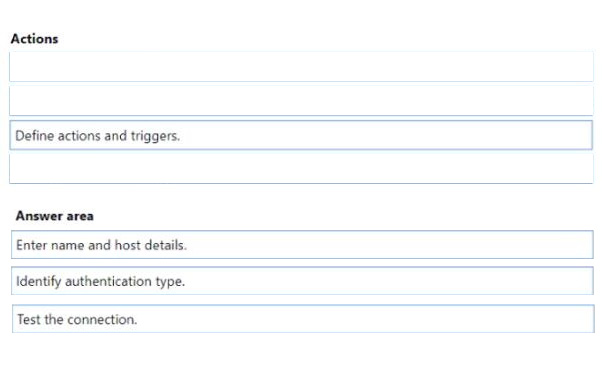
DRAG DROP
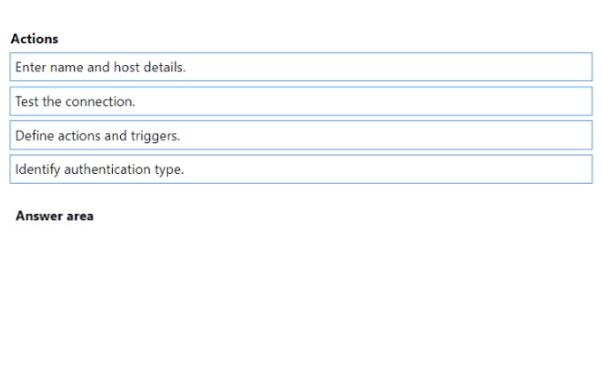
A company uses an enterprise resource planning (ERP) system. The ERP system has an API.
The company requires a custom connector for the ERP system.
You need to create the custom connector.
In which order should you perform the actions? To answer, move all actions from the list of actions to the answer area and arrange them in the correct order.
Select and Place:


Home | About Us | Contact Us | FAQ | Guarantee Policy | Privacy Policy
Any charges made through this site will appear as Global Simulators Limited. All trademarks are the property of their respective owners.
Copyright © 2004-2026 pass2lead.com, All Rights Reserved.