

SC-200 Online Practice Questions and Answers
Questions 4
You need to visualize Azure Sentinel data and enrich the data by using third-party data sources to identify indicators of compromise (IoC). What should you use?
A. notebooks in Azure Sentinel
B. Microsoft Cloud App Security
C. Azure Monitor
D. hunting queries in Azure Sentinel
Questions 5
You have an Azure subscription that uses Microsoft Sentinel.
You need to create a custom report that will visualise sign-in information over time.
What should you create first?
A. a workbook
B. a hunting query
C. a notebook
D. a playbook
Questions 6
You have a Microsoft 365 subscription that uses Microsoft Defender for Endpoint.
You need to add threat indicators for all the IP addresses in a range of 171.23.3432- 171.2334.63. The solution must minimize administrative effort.
What should you do in the Microsoft 365 Defender portal?
A. Create an import file that contains the individual IP addresses in the range. Select Import and import the file.
B. Create an import file that contains the IP address of 171.23.34.32/27. Select Import and import the file.
C. Select Add indicator and set the IP address to 171.23.34.32-171.23.34.63.
D. Select Add indicator and set the IP address to 171.23.34.32/27.
Questions 7
You have 50 Microsoft Sentinel workspaces.
You need to view all the incidents from all the workspaces on a single page in the Azure portal. The solution must minimize administrative effort.
Which page should you use in the Azure portal?
A. Microsoft Sentinel - Incidents
B. Microsoft Sentinel - Workbooks
C. Microsoft Sentinel
D. Log Analytics workspaces
Questions 8
HOTSPOT
You have an Azure subscription that contains an Microsoft Sentinel workspace.
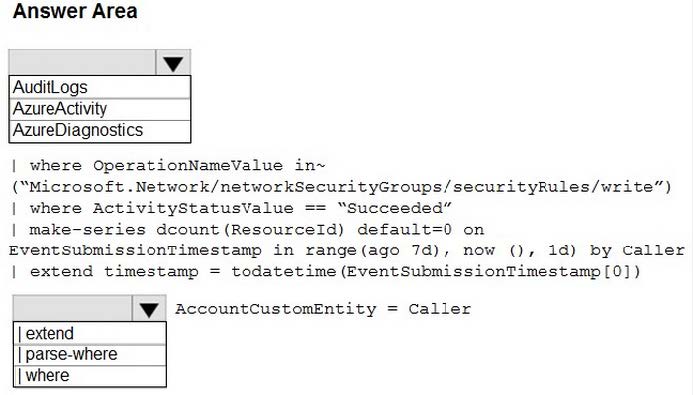
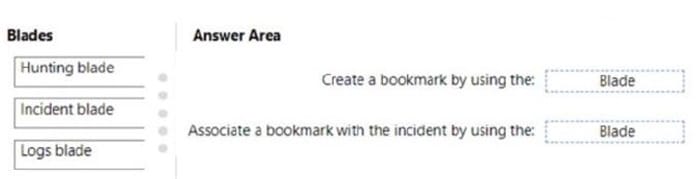
You need to create a hunting query using Kusto Query Language (KQL) that meets the following requirements:
1.
Identifies an anomalous number of changes to the rules of a network security group (NSG) made by the same security principal
2.
Automatically associates the security principal with an Microsoft Sentinel entity
How should you complete the query? To answer, select the appropriate options in the answer area. NOTE: Each correct selection is worth one point.
Hot Area:
Questions 9
HOTSPOT
You have a Microsoft Sentinel workspace named SW1.
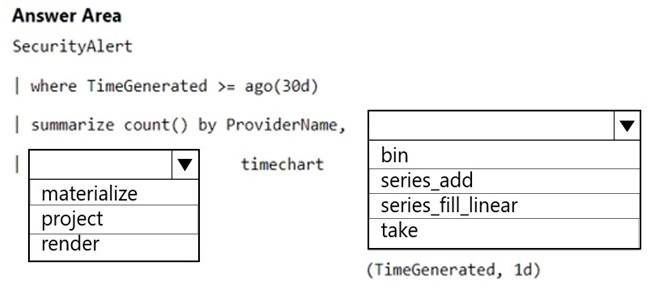
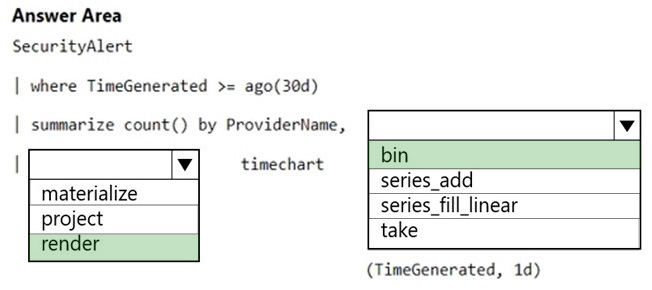
You plan to create a custom workbook that will include a time chart.
You need to create a query that will identify the number of security alerts per day for each provider.
How should you complete the query? To answer, select the appropriate options in the answer area.
NOTE: Each correct selection is worth one point.
Hot Area:
Questions 10
HOTSPOT
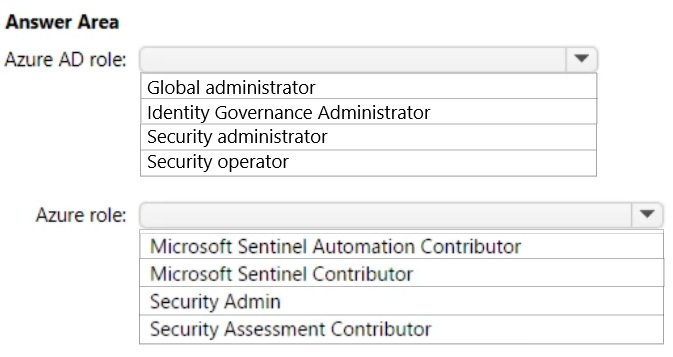
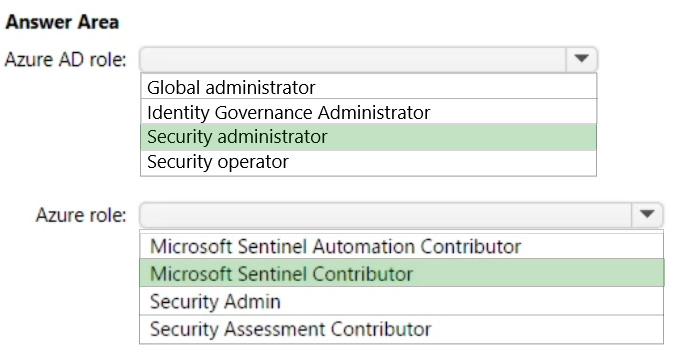
You have an Azure subscription that uses Microsoft Sentinel and contains a user named User1.
You need to ensure that User1 can enable User and Entity Behavior Analytics (UEBA) for entity behavior in Azure AD. The solution must use the principle of least privilege.
Which roles should you assign to User1? To answer, select the appropriate options in the answer area.
NOTE: Each correct selection is worth one point.
Hot Area:
Questions 11
HOTSPOT
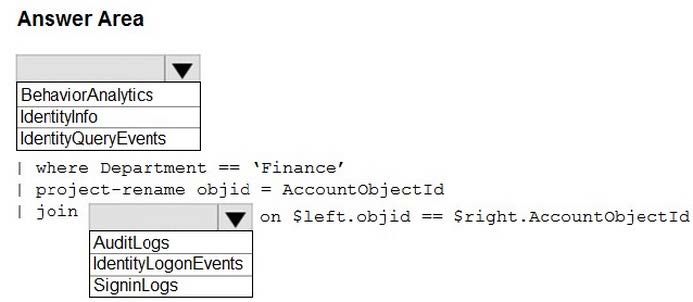
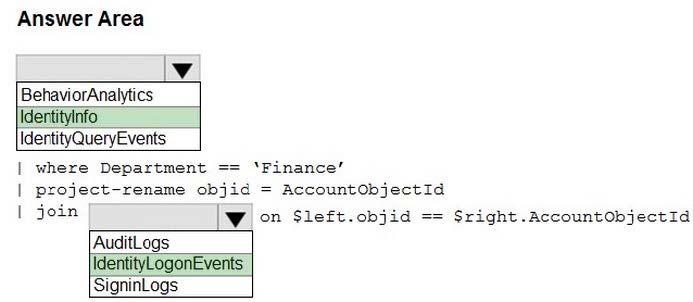
Your network contains an on-premises Active Directory Domain Services (AD DS) domain that syncs with Azure AD.
You have a Microsoft 365 E5 subscription that uses Microsoft Defender 365.
You need to identify all the interactive authentication attempts by the users in the finance department of your company.
How should you complete the KQL query? To answer, select the appropriate options in the answer area.
NOTE: Each correct selection is worth one point.
Hot Area:
Questions 12
HOTSPOT
You have a Microsoft Sentinel workspace.
A Microsoft Sentinel incident is generated as shewn in the following exhibit.
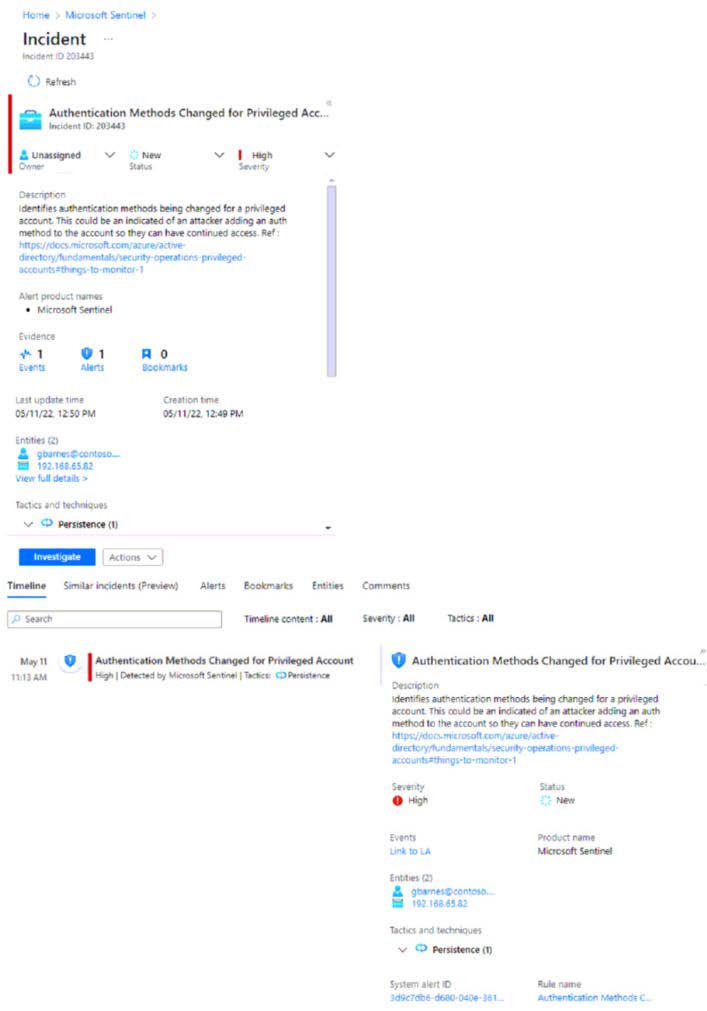
Use the drop-down menus to select the answer choice that completes each statement based on the information presented in the graphic. NOTE: Each correct selection is worth one point.
Hot Area:
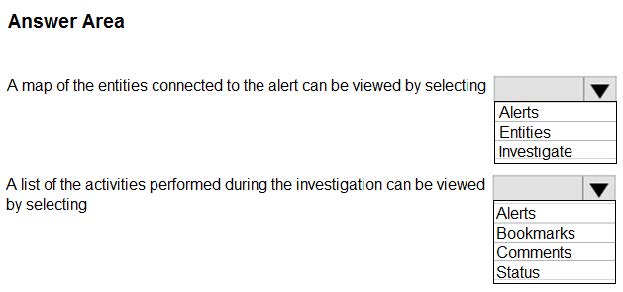
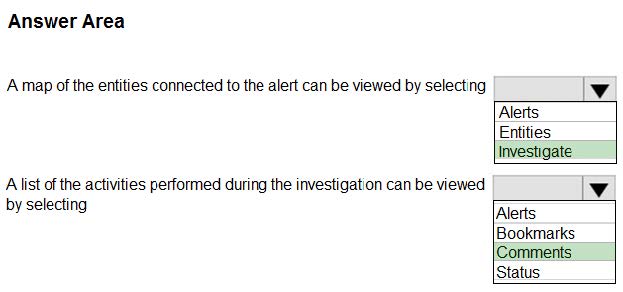
Questions 13
DRAG DROP
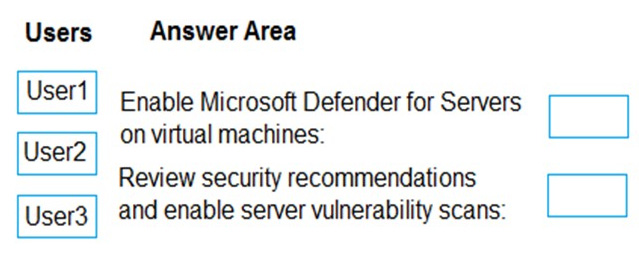
You have an Azure subscription that contains the users shown in the following table.
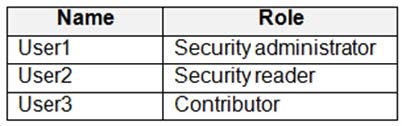
You need to delegate the following tasks:
1.
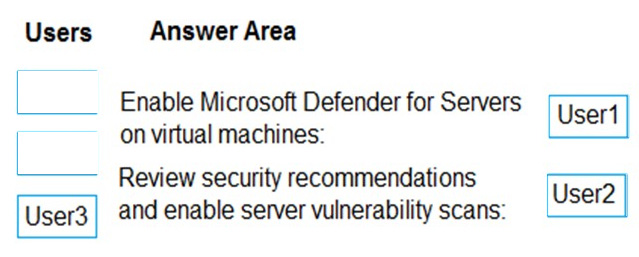
Enable Microsoft Defender for Servers on virtual machines.
2.
Review security recommendations and enable server vulnerability scans.
The solution must use the principle of least privilege.
Which user should perform each task? To answer, drag the appropriate users to the correct tasks. Each user may be used once, more than once, or not at all. You may need to drag the split bar between panes or scroll to view content.
NOTE: Each correct selection is worth one point.
Select and Place:


Home | About Us | Contact Us | FAQ | Guarantee Policy | Privacy Policy
Any charges made through this site will appear as Global Simulators Limited. All trademarks are the property of their respective owners.
Copyright © 2004-2026 pass2lead.com, All Rights Reserved.