


 Printable PDF

Associate Cloud Engineer: ASSOCIATE-CLOUD-ENGINEER
Want to pass your Associate Cloud Engineer ASSOCIATE-CLOUD-ENGINEER exam in the very first attempt? Try Pass2lead! It is equally effective for both starters and IT professionals.
- Vendor: Google
- Exam Code: ASSOCIATE-CLOUD-ENGINEER
- Exam Name: Associate Cloud Engineer
- Certifications: Google Certifications
- Total Questions: 427 Q&As( View Details)
- Updated on: Jul 04, 2026
- Note: Product instant download. Please sign in and click My account to download your product.



- Q&As Identical to the VCE Product
- Windows, Mac, Linux, Mobile Phone
- Printable PDF without Watermark
- Instant Download Access
- Download Free PDF Demo
- Includes 365 Days of Free Updates
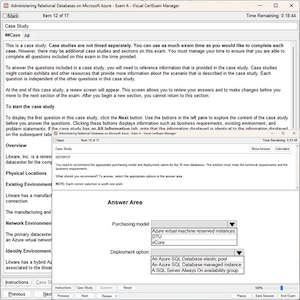
VCE
- Q&As Identical to the PDF Product
- Windows Only
- Simulates a Real Exam Environment
- Review Test History and Performance
- Instant Download Access
- Includes 365 Days of Free Updates
Passing Certification Exams Made Easy
Everything you need prepare and quickly pass the tough certification exams the first time
- 99.5% pass rate
- 7 Years experience
- 7000+ IT Exam Q&As
- 70000+ satisfied customers
- 365 days Free Update
- 3 days of preparation before your test
- 100% Safe shopping experience
- 24/7 Support
Google ASSOCIATE-CLOUD-ENGINEER Last Month Results
Free ASSOCIATE-CLOUD-ENGINEER Exam Questions in PDF Format
Related Google Certifications Exams
ASSOCIATE-CLOUD-ENGINEER Online Practice Questions and Answers
Questions 1
Your company uses Cloud Storage to store application backup files for disaster recovery purposes. You want to follow Google's recommended practices. Which storage option should you use?
A. Multi-Regional Storage
B. Regional Storage
C. Nearline Storage
D. Coldline Storage
Questions 2
You have a Compute Engine instance hosting an application used between 9 AM and 6 PM on weekdays. You want to back up this instance daily for disaster recovery purposes. You want to keep the backups for 30 days. You want the Google-recommended solution with the least management overhead and the least number of services. What should you do?
A. 1. Update your instances' metadata to add the following value: snapshot-schedule: 0 1 * * *
2. Update your instances' metadata to add the following value: snapshot-retention: 30
B. 1. In the Cloud Console, go to the Compute Engine Disks page and select your instance's disk.
2. In the Snapshot Schedule section, select Create Schedule and configure the following parameters:
-Schedule frequency: Daily
-Start time: 1:00 AM - 2:00 AM
-Autodelete snapshots after 30 days
C. 1. Create a Cloud Function that creates a snapshot of your instance's disk.
2.
Create a Cloud Function that deletes snapshots that are older than 30 days.
3.
Use Cloud Scheduler to trigger both Cloud Functions daily at 1:00 AM.
D. 1. Create a bash script in the instance that copies the content of the disk to Cloud Storage.
2.
Create a bash script in the instance that deletes data older than 30 days in the backup Cloud Storage bucket.
3.
Configure the instance's crontab to execute these scripts daily at 1:00 AM.
Questions 3
You will have several applications running on different Compute Engine instances in the same project. You want to specify at a more granular level the service account each instance uses when calling Google Cloud APIs. What should you do?
A. When creating the instances, specify a Service Account for each instance.
B. When creating the instances, assign the name of each Service Account as instance metadata.
C. After starting the instances, use gcloud compute instances update to specify a Service Account for each instance.
D. After starting the instances, use gcloud compute instances update to assign the name of the relevant Service Account as instance metadata.
Reviews
-
Mike
 United Statestook the exam yday.passed with almost full mark.Dump is very valid.
 -
souam
 MoroccoThere are many new questions in the dumps and the answers are accurate and correct. I finished my exam with high score this morning, thanks very much.
 -
Nike
United Statesthis dumps is really good and useful, i have passed the exam successfully. i will share with my friend -
Caden
United StatesThe content is rich and the answers are accurate, so this material is enough for you to pass the exam. Try your best and do everything carefully. -
zzangccolra
 AustraliaThanks for their help, I passed my exam just now. Their dumps are really good. Very helpful and convenient.
 -
Nebeker
 South AfricaThis dumps is very valid and is enough to your exam, so just trust on it and do it carefully.
 -
Octavio
 IndiaBefore attending the exam, I have studied every question and answer. when i seated for exam, I felt confident in every question. At last, I passed the exam with high score without doubt.Thanks for this valid dumps.
 -
Lloyd
United StatesThis dumps is useful and helpful, I also introduced it to my good friend. Now, we passed the exam together. Thanks for this dumps. -
Nikolai
 YemenGreat dumps! I have passed the exam by using this dumps only half a month. I will share with my friend.
 -
shok
AustraliaYes this valid. Passed today 982/1000. Same questions.



Home | About Us | Contact Us | FAQ | Guarantee Policy | Privacy Policy
Any charges made through this site will appear as Global Simulators Limited. All trademarks are the property of their respective owners.
Copyright © 2004-2026 pass2lead.com, All Rights Reserved.